










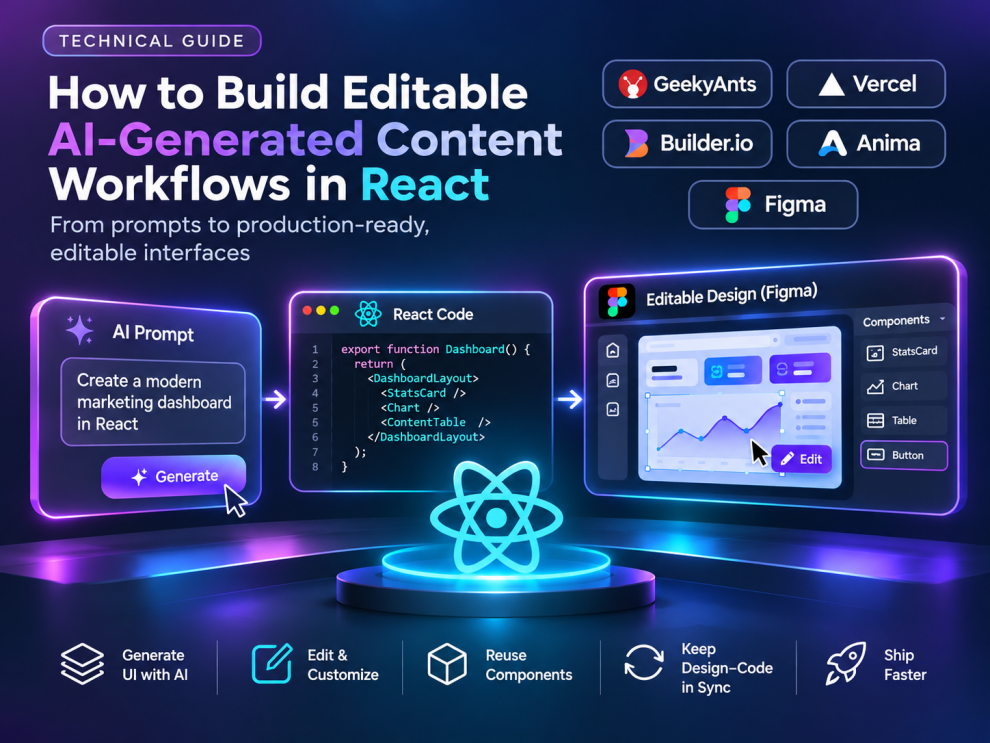

AI can generate a React interface from a prompt, screenshot, or design file in minutes. However, generating a visually accurate page does not automatically produce maintainable code, reusable components, or a design system that teams can continue editing.
The next challenge is making AI-generated interfaces editable across the development lifecycle. Developers need reusable React components, designers need structured design files, and product teams need workflows that support iteration without rebuilding everything from scratch.
Companies including GeekyAnts, Vercel, Builder.io, Anima, and Figma are addressing different parts of this challenge through AI-assisted development, visual editing, design-to-code conversion, and component-based design workflows.
Why Editable AI-Generated React Content Matters
AI-generated interfaces can accelerate prototyping, but poorly structured output creates technical debt. A page may look correct while containing duplicated elements, rigid layouts, inconsistent styles, and components that are difficult to maintain.
A sustainable workflow should provide:
- Reusable components: Buttons, cards, forms, and navigation elements should share consistent implementations.
- Editable layouts: Developers and designers should be able to adjust content, spacing, and structure without recreating the interface.
- Design system consistency: Colors, typography, spacing, and component variants should follow shared rules.
- Responsive behavior: Generated interfaces should adapt to different screen sizes instead of relying on fixed dimensions.
- A reliable handoff: Design and development teams should be able to review, modify, and maintain the same product experience.
The objective is not simply to generate more code. It is to make the resulting interface easier to understand, test, and evolve.
1. GeekyAnts: Converting React Component Trees into Editable Design Files
GeekyAnts has explored a practical challenge in AI-assisted development: converting AI-generated React applications into editable Figma documents without losing their component structure.
In its engineering article, How We Built the Missing Bridge from Code to Figma, the team explains why conventional HTML-to-design export approaches can produce nested frames, disconnected elements, and layouts that are difficult to edit.
The approach uses React Fiber, React’s internal representation of the component tree, rather than relying exclusively on the Document Object Model (DOM).
This distinction matters because the DOM primarily represents rendered elements, while React Fiber can expose component boundaries, hierarchy, props, and state.
The documented workflow includes four major stages:
- Component discovery: Identify reusable UI components and capture their hierarchy, dimensions, computed styles, and design-token references.
- Variant generation: Expand component configurations to represent different sizes, styles, and interaction states.
- Hidden-state extraction: Discover interfaces such as modals, menus, and popovers that may not be visible in the initial render.
- Figma reconstruction: Use the Figma Plugin API to rebuild the extracted structure with native components, instances, and Auto Layout.
For example, a button appearing once in a React application may support several sizes, visual styles, and interaction states. A component-aware exporter can reconstruct those variations as a related component family rather than treating every button as an unrelated object.
The result is a workflow designed to preserve design intent instead of producing a static visual copy.
This approach is particularly relevant when AI-generated React interfaces need designer review, design-system integration, and continued iteration.
2. Vercel: Generating and Iterating on React Interfaces with AI
Vercel focuses on generating application interfaces and code from natural-language prompts.
Developers can describe a page or application, inspect the generated interface, and refine the result through additional instructions. Its workflow supports prototyping and application development, with options for deployment and integration into a broader development process.
This makes v0 useful when teams need to move quickly from an idea to a working interface.
For editable workflows, however, generated code still needs to fit the project’s architecture. Teams should review component boundaries, accessibility, data handling, responsiveness, and integration with existing APIs before treating a generated result as production-ready.
The key lesson is to treat AI generation as an iterative development process rather than a one-time code export.
3. Builder.io: Connecting AI-Assisted Development with Existing Design Systems
Builder.io combines visual development, AI-assisted code generation, and content management.
Its documentation describes workflows for generating and editing content, translating designs into code, and working with existing applications. Builder Projects can connect to a codebase, support AI-assisted development, and send changes through pull requests. Builder’s visual content tools also support structured content and reusable page-building workflows.
This separation is useful because developers and content teams often need different levels of control.
Developers may need to modify React components and application behavior, while content teams may need to update page content without changing the underlying code.
For React applications, the important consideration is how generated output connects to existing components, styling conventions, and publishing processes. Visual editing is most useful when it preserves these constraints instead of creating a separate, inconsistent implementation.
4. Anima: Translating Designs and Prompts into Editable React Code
Anima focuses on design-to-code workflows, including converting Figma designs, prompts, and website references into editable frontend code.
Its documentation describes generating React applications, previewing changes, editing code directly, and exporting or publishing projects. Developers can also choose technologies such as TypeScript and different styling approaches.
Anima’s approach addresses a different side of the workflow from React-to-Figma conversion.
Rather than starting with a running React application and reconstructing its design, a design-to-code workflow starts with a design or visual reference and generates code that developers can continue modifying.
This can reduce repetitive implementation work, particularly for prototypes, landing pages, and multi-screen application concepts.
Generated code should still be reviewed for semantic HTML, accessibility, reusable components, responsive behavior, and compatibility with the target project’s architecture.
5. Figma: Making Design Files Programmable and Reusable
Figma provides the design environment and plugin infrastructure that can connect design workflows with development tools.
Its Plugin API supports reading, creating, and modifying design-file objects, including frames, components, text, and other elements. This enables developers to build custom workflows that transform application data into editable design structures.
Reusable components are particularly important. Figma component instances can inherit changes from their source components, helping teams maintain consistency across screens.
For AI-generated React interfaces, this capability provides a foundation for tools that reconstruct layouts as native design objects rather than flattening them into images.
The important engineering task is mapping concepts between the two environments. React uses component trees and CSS layout behavior, while Figma uses its own node hierarchy and Auto Layout model. A reliable conversion pipeline must translate these structures carefully to preserve editability and responsive intent.
How to Build an Editable AI-Generated Content Workflow in React
These approaches suggest a practical architecture for teams building their own workflow.
Step 1: Generate Structured Output
Ask the AI system to produce a defined component structure instead of an unstructured page. Specify expected props, component names, supported variants, and styling conventions.
Where the model supports structured responses, use a schema to constrain the output and validate it before rendering.
Step 2: Map Output to Existing Components
Create a registry of approved components, such as Button, Card, FormField, and Modal. Map generated elements to these components instead of creating new implementations for every prompt.
This helps preserve the application’s design system.
Step 3: Render and Validate
Render the generated interface in a controlled React environment. Check for missing props, invalid component configurations, accessibility problems, and layout issues across screen sizes.
Use automated tests for repeatable checks and human review for visual and interaction quality.
Step 4: Preserve Editable Design Metadata
If the workflow exports interfaces to a design tool, preserve component identity, variants, spacing, typography, and layout relationships.
Avoid flattening everything into generic elements or static images. Editable output should retain enough structure for meaningful changes.
Step 5: Support Versioning and Review
Track generated changes, allow users to compare revisions, and provide a way to restore earlier versions. Before merging generated code into a production application, require appropriate testing and review.
Conclusion
Editable AI-generated content workflows represent an important development in React engineering. The challenge is no longer limited to generating a convincing interface; it is preserving the structure that makes the interface maintainable.
GeekyAnts demonstrates how React Fiber and the Figma Plugin API can connect generated applications with editable design files. Vercel focuses on prompt-driven application generation, Builder.io combines AI development with visual content workflows, Anima connects designs and prompts to editable code, and Figma provides programmable design infrastructure.
Each addresses a different part of the process. The strongest workflow combines generation with reusable components, design-system alignment, validation, and human review.
For React teams, the long-term goal should be straightforward: generate faster without sacrificing editability, consistency, or control over the codebase.








Add Comment