








A React Native testing guide for AI-generated text, streaming responses, retries, and model regressions.
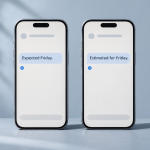
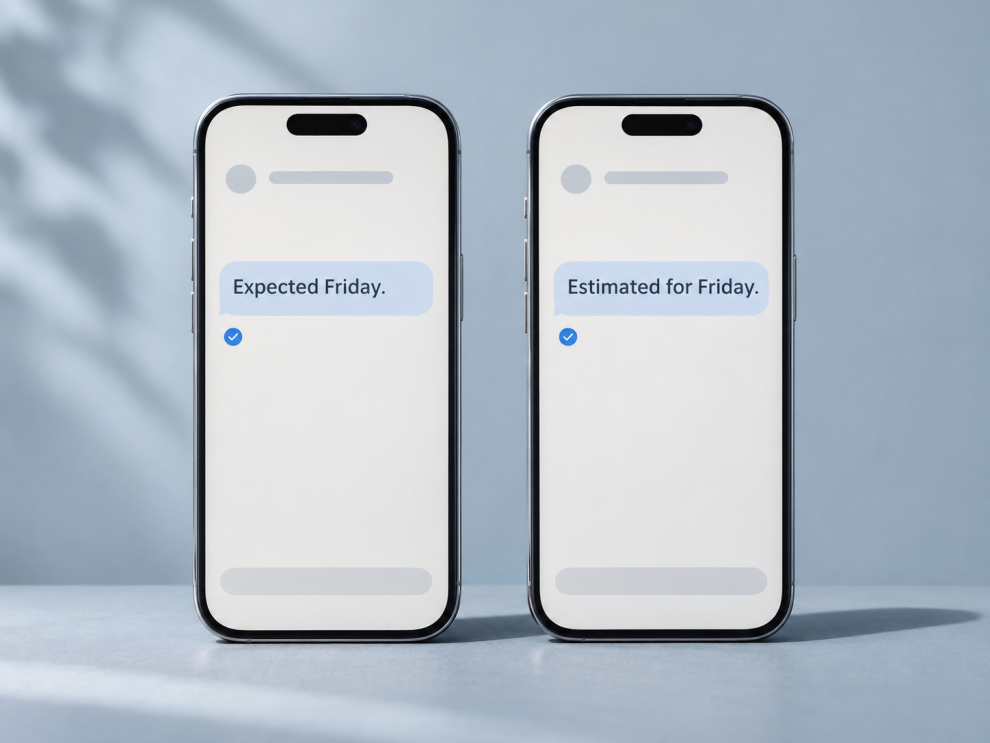
A React Native support app asks an AI model to draft a reply about an order. In one run, the model writes, “Your order is expected to arrive Friday.” In another, it writes, “The estimated delivery date is Friday.” Both responses can be correct. A test that expects one exact sentence would fail on the other. A test that only checks whether the screen renders text would pass even if the model changed Friday to Monday.
Those failures belong to different test suites. Component tests verify what the app does with a response. Model evaluations verify whether the response is good enough to show. A third layer, device testing, covers mobile behaviors such as backgrounding, reconnecting, and accessibility on iOS and Android.
1. Test the React Native interface with controlled responses
Put the AI request behind an app-owned client or hook and inject a substitute in component tests. The substitute can return two valid phrasings, reject with a network error, or wait until the test resolves it. This gives the test control over what the interface receives and when it receives it.
The following example assumes SupportReplyScreen accepts a generateReply function and exposes Generate draft and Use draft as accessible buttons. It uses the async rendering API in React Native Testing Library 13.x and awaits user interactions.
import {
  renderAsync,
  screen,
  userEvent,
} from '@testing-library/react-native';
import { SupportReplyScreen } from './SupportReplyScreen';

test.each([
  'Your order is expected to arrive Friday.',
  'The estimated delivery date is Friday.',
])('shows a reviewable draft for "%s"', async (draft) => {
  const user = userEvent.setup();
  const generateReply = jest.fn().mockResolvedValue({ text: draft });

  await renderAsync(
    <SupportReplyScreen generateReply={generateReply} />,
  );

  await user.press(
    screen.getByRole('button', { name: 'Generate draft' }),
  );

  expect(await screen.findByText(draft)).toBeVisible();
  expect(screen.getByRole('button', { name: 'Use draft' })).toBeEnabled();
});
The exact-text assertion checks that the screen displays the text supplied by the fixture. Both fixtures must produce the same review experience. A separate live-model evaluation checks whether Friday is supported by the order data.
2. Test timing and recovery as user-visible behavior
A response can be factually correct and still break the interface. A slow request can overwrite a newer draft. A stream can stop halfway through a sentence. A retry can replace edits the user already made.
Use deferred promises or a controlled event stream to deliver responses in a specific order. To reproduce a stale-response bug, start request A, cancel it, start request B, and complete B before A. Then resolve A and verify that B’s draft stays on screen. This tests how the app behaves if the transport delivers a response after cancellation.
| Scenario | What the test should verify |
|---|---|
| A response is pending | The screen shows a loading state and prevents accidental duplicate requests. |
| A stream stops halfway | The interface marks the draft as incomplete and offers a way to retry or continue manually. |
| A cancelled request completes late | The active draft stays on screen. |
| The API returns an invalid payload | The client rejects it and the screen offers a recovery path. |
| The user edits a draft before retrying | The user’s edits survive the new suggestion. |
| The app backgrounds during generation | The app restores the expected draft and request state when it resumes. |
Run response-order and state-transition cases in the component suite. On iOS and Android, exercise a smaller set of journeys covering backgrounding, network changes, and how VoiceOver or TalkBack announces loading, completion, and errors. React Native’s JavaScript component tests leave those native behaviors uncovered.
3. Evaluate live responses against the task
Build an evaluation dataset with the user request, the source records available to the model, and the criteria for a successful answer. For the order-support example, include a confirmed delivery date, a missing estimate, conflicting records, and an order with multiple shipments.
Use code to check objective requirements such as a valid response schema and citation IDs that resolve to supplied records. Use a rubric to judge whether the reply answers the question, preserves uncertainty, and avoids unsupported claims. For example, if the record contains only an estimated delivery date, a reply that guarantees Friday should fail even though it mentions the correct day. If a model grades the answers, compare its judgments with human-reviewed examples before using its scores to approve a release.
Run multiple trials on important cases. A prompt that gets an answer right once can still perform inconsistently on repeated requests. Record the model and prompt versions, compare results with the previous baseline, and review failures by scenario. An improved average can hide a regression on missing or contradictory order data.
How five companies approach AI testing and evaluation
| Company | Documented practice | Application to React Native |
|---|---|---|
| GeekyAnts | In a documented clinical education project, prompt changes include an updated evaluation baseline in the same commit. The project also records model, latency, retries, and errors to help investigate changes in behavior. | Review prompt changes alongside their quality results and use failure patterns to decide which recovery states need test fixtures. |
| Anthropic | Its engineering team describes running multiple trials, combining code-based and human or model-based graders, and tracking capability and regression evaluations. | Run the same high-priority prompt several times and track how consistently the feature handles it. |
| OpenAI | Its evaluation guidance describes combining objective checks with reference-guided or pairwise grading and calibrating model graders against human labels. | Verify response structure in code, then compare two prompt versions using the same rubric for factual accuracy and usefulness. |
| Microsoft | Microsoft Foundry supports evaluation of individual turns and full conversations, with criteria including groundedness, relevance, and task completion. | Check whether a mobile assistant stays grounded after a follow-up adds context or changes the user’s request. |
| Google Cloud | Vertex AI documents side-by-side evaluation for comparing model outputs. | Compare replies from two candidate models on identical test cases before changing the model behind the app. |
What should block a release?
Run deterministic component and API contract tests on every pull request. Run live evaluations when prompts, models, or retrieval logic change. Use device tests for the most important mobile journeys.
A lost user edit, an unusable fallback, and an unsupported delivery promise are three different release failures. Each needs its own assertion and a reproducible test case.





Add Comment