


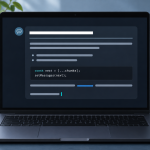

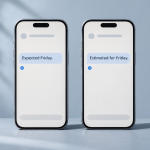


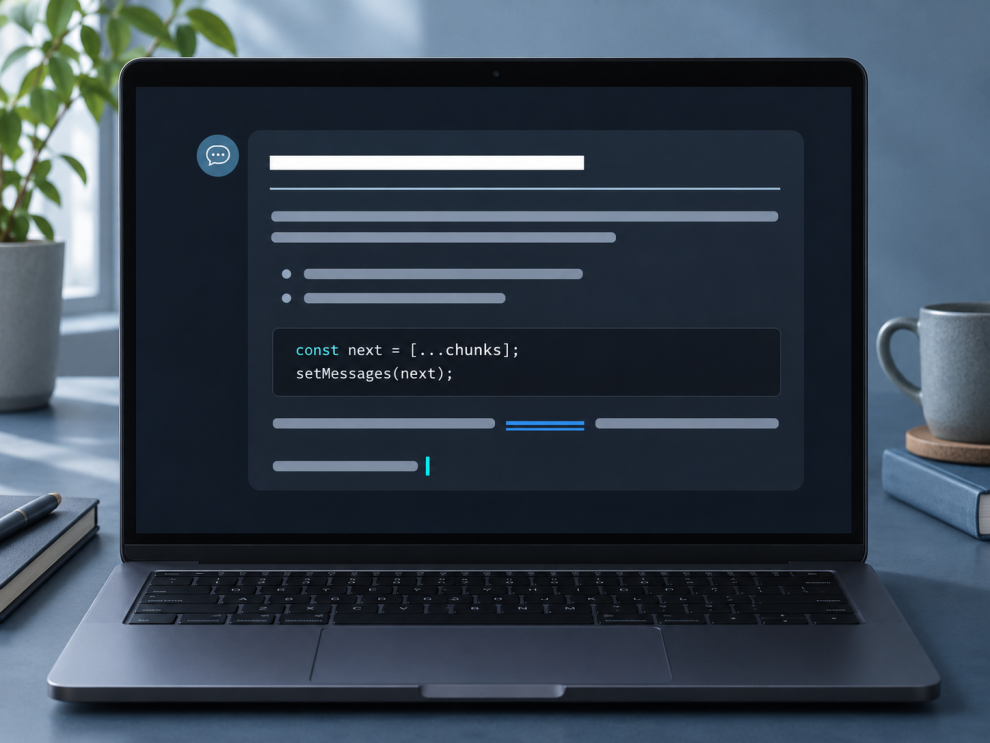

An AI reply begins with the UI displays the opening bracket and parenthesis. A few chunks later, the text collapses into a link, the paragraph wraps differently, and the chat jumps. The model streamed successfully. The browser kept rendering legitimate but incomplete versions of the reply.
Fixing that experience takes two changes. A streaming-aware Markdown renderer decides what to show before the syntax is complete. Frame batching limits how often React receives new text. The renderer handles ambiguity, while batching reduces redundant work when several chunks arrive together.
Why Markdown flickers while a response is streaming
A network chunk can end inside a URL, a code fence, or a Markdown delimiter. It can also end inside a UTF-8 character if the client is reading bytes directly. Decode the transport before handing text to the renderer. For a raw byte stream, use TextDecoderStream or call TextDecoder.decode(bytes, { stream: true }) for each chunk and flush the decoder at the end. If the API sends server-sent events or another framed protocol, parse those events and extract the text deltas first.
Some changes are inherent to Markdown. A GitHub Flavored Markdown table needs a delimiter row, so what looks like a paragraph can become a table after another line arrives. A CommonMark reference link can be resolved by a definition later in the document. Splitting an arbitrary reply on blank lines and permanently freezing each piece can therefore change the final output. If cross-block syntax is supported, check the renderer’s final output against a full-document parse.
Batch text updates and render the active message
The example below uses Streamdown for partial Markdown and requestAnimationFrame to combine deltas that arrive before the next repaint. The first nonempty delta is published immediately. Completion and errors flush the current text directly because animation-frame callbacks are commonly paused in background tabs. React still decides when to commit each update.
Install streamdown. For a Tailwind v4 project, add an @source directive for ../node_modules/streamdown/dist/*.js, adjusting the path relative to the stylesheet. This example leaves optional text animation off.
// stream-markdown.ts
export type MarkdownSnapshot = {
  markdown: string
  status: "streaming" | "done" | "error"
}

export async function streamMarkdown(
  deltas: AsyncIterable<string>,
  signal: AbortSignal,
  publish: (snapshot: MarkdownSnapshot) => void,
) {
  let markdown = ""
  let frame: number | null = null
  let status: MarkdownSnapshot["status"] = "done"

  try {
    for await (const delta of deltas) {
      if (signal.aborted) return
      if (delta.length === 0) continue

      const firstText = markdown.length === 0
      markdown += delta

      if (firstText) {
        publish({ markdown, status: "streaming" })
      } else if (frame === null) {
        frame = requestAnimationFrame(() => {
          frame = null
          if (!signal.aborted) publish({ markdown, status: "streaming" })
        })
      }
    }
  } catch {
    status = "error"
  } finally {
    if (frame !== null) cancelAnimationFrame(frame)
  }

  if (!signal.aborted) publish({ markdown, status })
}
// StreamingMessage.tsx
"use client"
import { useEffect, useState } from "react"
import { Streamdown } from "streamdown"
import { streamMarkdown, type MarkdownSnapshot } from "./stream-markdown"
type Props = {
openDeltas: (signal: AbortSignal) => AsyncIterable<string>
}
export function StreamingMessage({ openDeltas }: Props) {
const [snapshot, setSnapshot] = useState<MarkdownSnapshot>({
markdown: "",
status: "streaming",
})
useEffect(() => {
const controller = new AbortController()
const deltas = (async function* () {
yield* openDeltas(controller.signal)
})()
void streamMarkdown(deltas, controller.signal, setSnapshot)
return () => controller.abort()
}, [openDeltas])
const streaming = snapshot.status === "streaming"
return (
<article className="min-w-0">
<Streamdown
mode={streaming ? "streaming" : "static"}
isAnimating={streaming}
>
{snapshot.markdown}
</Streamdown>
{snapshot.status === "error" && (
<p role="status">The response was interrupted.</p>
)}
</article>
)
}Pass a stable openDeltas function for each generation. It should provide decoded text deltas, honor the abort signal, and surface protocol errors. Mount the component with a stable message ID. When regeneration replaces that message, start a new generation and reset its stream state, for example by including a generation ID in the key. Avoid using the growing response text as a key. That would remount the message as it streams. Keep completed messages in their own components and consider memoization if profiling shows that the active reply is making history rerender.
Static mode parses the whole accumulated response at the end. A late reference definition or a renderer mode change can still cause a final layout change, so test the transition. Store the raw Markdown, including any partial text retained after an error. Preview repairs belong to the renderer.
What five companies document about AI response streaming
| Company | Documented approach | Engineering takeaway |
|---|---|---|
| GeekyAnts | A Next.js tutorial demonstrates streaming a simulated AI reply into a chat-style React interface using readable streams. Its example covers transport and progressive display. | Give the renderer decoded text separately so the application can choose its own Markdown preview behavior. |
| Vercel | Streamdown applies incomplete-syntax handling through Remend and uses individually memoized Markdown blocks in streaming mode. It powers the AI Elements message renderer. | Use a React renderer that can preview incomplete formatting without requiring the app to persist repaired text. |
| Shopify | Sidekick’s engineering team documented a Node.js transform stream with a finite-state machine that buffers ambiguous syntax. Its published example handles Markdown links. | Buffer a construct when its meaning depends on later characters and exposing the fragment would create a visible jump. |
| CopilotKit | The documented assistant-message component defaults to a wrapper around Streamdown and exposes a renderer slot for customization. | Keep link and code presentation configurable at the message-renderer boundary. |
| NLKit | NLUX ships a streaming Markdown parser. A custom React response renderer can provide a container ref for NLUX to populate. | A chat library can own incremental rendering while the application supplies the surrounding message UI. |
Test the experience with a reproducible stream
Replay the same Markdown response through fixed chunk sequences. Include a link split inside its URL, a code fence split between backticks, a table arriving line by line, and a reference definition arriving at the end. For the transport adapter, also split an emoji across UTF-8 byte boundaries. Use a long chat history and include a run where the stream ends before the next animation frame.
| Measure | What to record |
|---|---|
| Time to first visible text | The delay between receipt of the first decoded delta and the first frame showing it. Report network latency separately. |
| React work | The active message’s commit count and actualDuration for the same replay. Check whether completed messages rerender. |
| Visual stability | A browser trace or recording showing whether earlier content moves, text flashes as syntax, or scroll position jumps. Use layout-shift events alongside the recording. |
| Final output | A semantic comparison with a full-document render of the original Markdown. Check that final text survives completion and errors. |
Use React’s Profiler for component rendering work and a browser performance recording for layout and paint. If the trace points to code highlighting or diagram rendering, defer that work until the block is complete and keep the same container while it streams. If the scroll position jumps, follow the newest content only while the reader is near the bottom and preserve their position when they scroll up.
Treat model output as untrusted Markdown. Keep the renderer’s sanitization enabled, define an application policy for links and images, and review that policy when supplying custom renderers or plugins.
The acceptance test is simple to describe: the first text appears promptly, the active reply grows without remounting, earlier messages stay in place, and the final formatting matches the original response.







Add Comment