






How to build interfaces that help clinicians inspect evidence, correct drafts, and approve the right version.
An AI-generated clinical summary can read smoothly while still requiring correction. A symptom may be attributed to the wrong speaker, an older medication may appear current, or an important qualification may disappear during summarization.
For React developers, the challenge extends beyond rendering generated text. The interface needs to help clinicians understand where information came from, identify changes, and maintain control over the final document.
Commercial products already demonstrate relevant approaches. Abridge links drafts to source information, while Microsoft Dragon Copilot highlights AI changes and supports several editing methods. These are documented product behaviors that can inform interface design.
The patterns below are engineering recommendations for a React implementation. They should be validated with clinicians in the intended workflow.
Start With a Review Workspace, Not a Chat Window
A chat interface works well for requesting a summary. Reviewing that summary benefits from a persistent workspace.
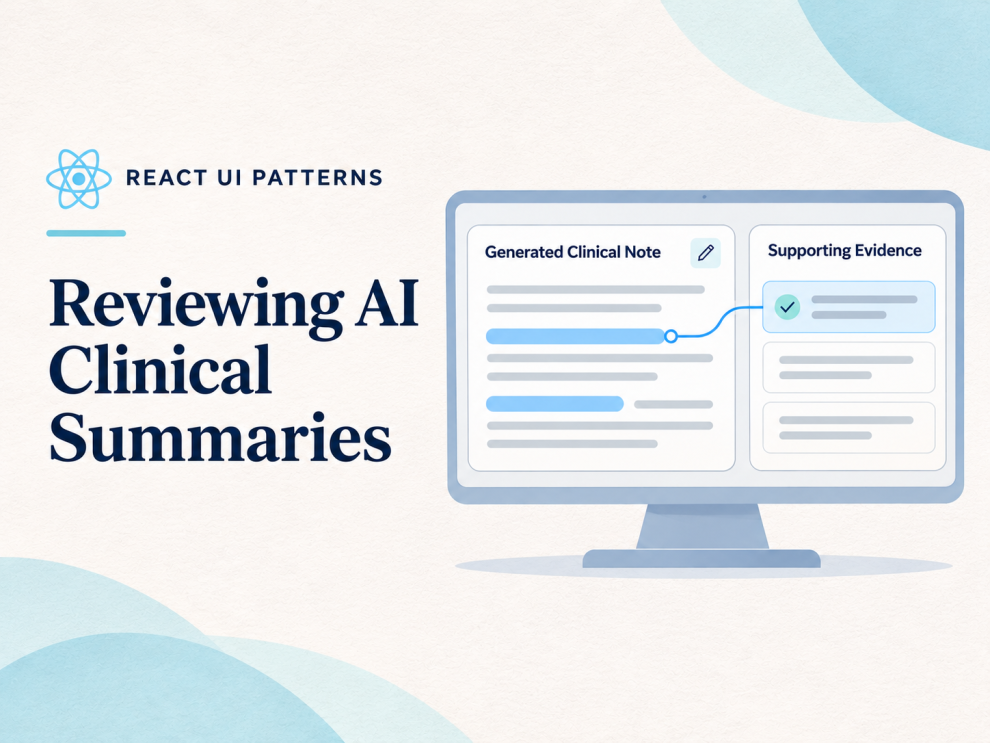
On a desktop, consider three connected areas:
| Area | Purpose | Essential context |
|---|---|---|
| Summary editor | Inspect and correct the draft | Section title, revision, review status |
| Evidence panel | Examine supporting information | Source document, encounter date, excerpt |
| Review controls | Resolve issues and save progress | Outstanding issues, save state, finalization action |
Keep patient and encounter identity visible across the workspace. Opening evidence should not hide the context needed to recognize a wrong-record error.
On smaller screens, use an evidence drawer or alternate view that preserves the editor’s position. Avoid forcing reviewers to repeatedly find the sentence they were checking.
Link Claims to Specific Evidence
A general “View transcript” button leaves the clinician searching through an entire conversation.
A more useful pattern connects a statement to the relevant source passage. Abridge’s Linked Evidence provides a documented example: its published material describes reviewing transcript evidence and replaying corresponding audio from highlighted summary content.
For a React application, represent those relationships explicitly:
type EvidenceReference = {
  id: string;
  documentId: string;
  documentVersion: string;
  excerpt: string;
  recordedAt: string;
};

type SummaryClaim = {
  id: string;
  text: string;
  evidenceIds: string[];
  evidenceStatus: "linked" | "missing" | "conflicting";
};
Use stable identifiers from application data. Text offsets alone become fragile when a clinician edits the summary.
Evidence links also need context. A statement supported by an older encounter may be accurately retrieved but inappropriate for the current summary.
Crucially, “evidence linked” should not mean “clinically verified.” A retrieved passage can still be incomplete, contradictory, or incorrectly interpreted.
Make Review Status Independent of Editing
Changing a word does not establish that a section has been reviewed. Neither does opening its evidence panel.
Model review status separately from content:
type ReviewSection = {
  id: string;
  text: string;
  revision: number;
  reviewedRevision: number | null;
};

function isReviewed(section: ReviewSection) {
  return section.reviewedRevision === section.revision;
}
When content changes, increment its revision. The previous review acknowledgement then no longer applies.
React’s useReducer can help organize transitions such as editing, acknowledging review, receiving a new AI proposal, and handling save conflicts. React requires reducers to be pure, so network requests and audit writes belong outside the reducer
Section acknowledgement remains a workflow signal. It should not be presented as proof that a note contains no errors.
Preserve Clinician Edits During Regeneration
An AI response arriving late should never silently replace work already being edited.
Keep the generated proposal separate from the working document:
- Generated draft: The original model output.
- Working revision: The clinician’s current content.
- Proposed revision: A newly generated alternative.
- Finalized version: The exact document approved through the authorized workflow.
Show proposed changes before applying them. Make additions, deletions, and replacements understandable without relying solely on color.
Microsoft Dragon Copilot documents AI change highlighting, including different treatment of recent changes and manually edited content. This supports the broader design principle of making the origin of changes visible.
At the API boundary, include the revision on which a generation request was based. If the working document has changed, treat the response as a proposal requiring reconciliation.
Use Clear, Accessible Editing Controls
A controlled textarea offers a straightforward starting point for plain-text sections:
import { useId } from "react";

type Props = {
  title: string;
  value: string;
  onChange: (value: string) => void;
};

export function SummaryEditor({
  title,
  value,
  onChange,
}: Props) {
  const id = useId();

  return (
    <section>
      <label htmlFor={id}>{title}</label>
      <p id={`${id}-hint`}>
        AI-generated draft. Review and correct before finalization.
      </p>

      <textarea
        id={id}
        value={value}
        onChange={(event) => onChange(event.target.value)}
        aria-describedby={`${id}-hint`}
        rows={8}
      />
    </section>
  );
}
React’s documentation specifies that a controlled textarea needs a value and an onChange handler that updates it. useIdsupports accessible element relationships; list keys should come from the underlying data.
For routine save updates, use a persistent status region rather than moving keyboard focus:
<p role="status" aria-atomic="true">
  {saveMessage}
</p>
W3C guidance explains that status messages should be available to assistive technology without requiring focus. Avoid announcing every keystroke or generated token.
If evidence opens in a modal, implement its complete keyboard behavior, including initial focus, contained tab navigation, Escape handling, and focus restoration. Adding aria-modal alone does not implement those interactions.
Treat Finalization as a Server-Validated Operation
A disabled button can guide users, but the backend must enforce the workflow.
Finalization should validate the authenticated reviewer, encounter identity, current revision, and required review conditions. If another editor has changed the document, return a conflict instead of finalizing an outdated copy.
The interface should also distinguish three events:
Saved means the server persisted the draft.
Finalized means the authorized review action succeeded.
Transferred to the EHR means the destination confirmed receipt.
Combining these into one success message hides failures. A finalized note may still be waiting for transfer, and a transfer retry should not create duplicate documents.
How Five Companies Demonstrate Related Practices
Public documentation supports different levels of evidence across these companies. The examples below describe published workflows and capabilities; they do not establish that each company uses React or implements the component patterns above.
Evidence-Backed Clinical Assistance
GeekyAnts describes an AI-Augmented Clinician demonstration adapted from an engineer’s presentation at a NIMHANS meetup. It discusses retrieving information from verified sources and presenting supporting evidence. Its healthcare services page also describes document summarization with model evaluation and human review. These are relevant capability signals, rather than proof of a deployed React clinical-summary review product.
Source-Linked Draft Verification
Abridge documents Linked Evidence within its clinical documentation platform, connecting AI-drafted outputs with source information. The applicable UI lesson is to place evidence access within the review workflow.
Visible AI Changes
Microsoft documents specialty-oriented clinical summaries, AI change highlighting, and editing through keyboard, voice, dictation, and prompts in Dragon Copilot. The relevant pattern is preserving visibility into changes while supporting different editing methods.
Editable Documentation Before EHR Updates
Suki describes specialty-specific generated notes that clinicians can edit through typing or voice before relevant EHR sections are updated. This illustrates why correction needs to be a primary interaction
Structured Components for Review
Ambience Healthcare describes generators for note components, including history of present illness and assessment and plan, with clinician review and finalization. This supports designing around recognizable clinical sections.
Test the Review Failures, Not Just the Editor
A meaningful React test suite should verify that late AI responses preserve edits, content changes invalidate earlier acknowledgements, and stale revisions cannot be finalized.
Accessibility testing should confirm that evidence controls work by keyboard and save messages are announced appropriately. Integration tests should cover failed saves, concurrent edits, patient switching, and delayed EHR acknowledgements.
Clinical evaluation needs a separate process with qualified reviewers and representative cases. A correctly functioning interface cannot establish that a generated summary is clinically accurate.
The strongest review experience makes the important distinctions visible: source information versus inference, generated text versus clinician edits, and a saved draft versus a finalized record.





Add Comment