






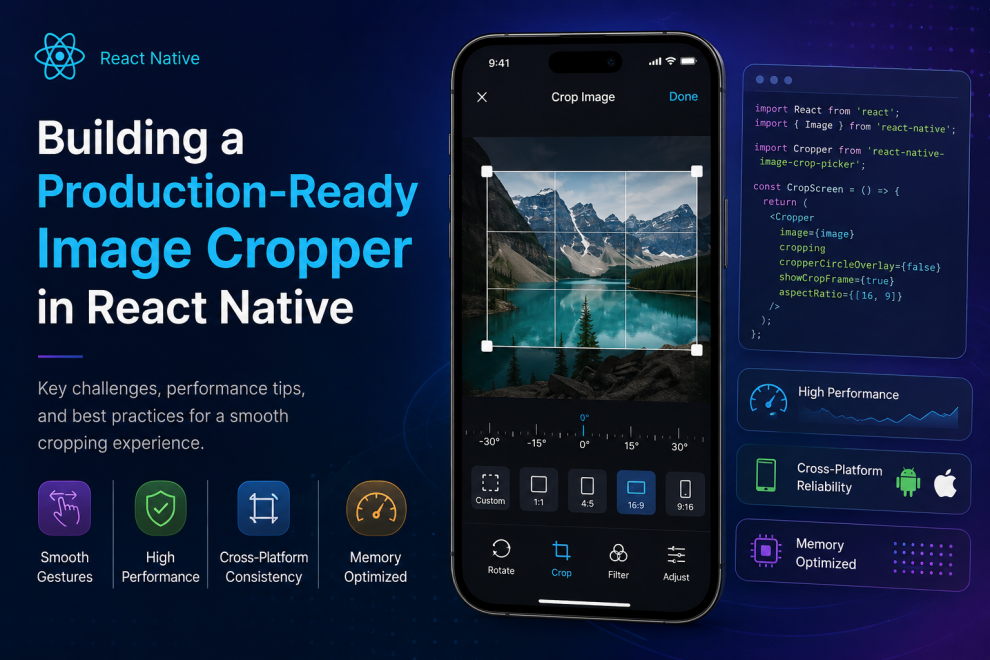

Image cropping looks deceptively simple.
Most users interact with it in seconds. Drag the corners, zoom slightly, tap save, and move on. But for developers building mobile apps, especially cross platform apps in React Native, image cropping can quietly become one of those features that consumes far more engineering time than expected.
While researching mobile media handling recently, I came across an interesting technical breakdown discussing the challenges of building a production ready image cropper in React Native. What stood out was not the UI itself, but the amount of engineering complexity hidden underneath what appears to be a very ordinary feature.
The reality is that image cropping is not just about resizing pictures. It touches performance, gestures, memory management, rendering pipelines, device compatibility, and user experience all at once.
The Problem With “Simple” Features
A lot of modern apps rely heavily on image uploads.
Social platforms, ecommerce applications, creator tools, fitness apps, productivity software, dating platforms, and AI products all depend on users being able to upload and edit media smoothly.
From a product perspective, cropping feels like a standard requirement. But implementation becomes challenging very quickly once developers try to make the experience feel native, responsive, and reliable across both iOS and Android.
That is where many teams run into friction.
The biggest mistake is assuming an image cropper is just another UI component. In reality, it behaves more like a graphics problem combined with gesture handling and performance optimization.
Performance Becomes The First Real Challenge
One of the most important engineering concerns is performance.
Images are large assets. Mobile devices have memory limits. React Native applications already operate across a JavaScript bridge, which means excessive rendering or image manipulation can create lag surprisingly fast.
Poorly optimized croppers often introduce issues like:
- delayed gesture response
- frame drops while zooming
- memory spikes on high resolution images
- inconsistent rendering across devices
- crashes on older Android phones
The interesting part is that these issues usually do not appear during early testing. They emerge later under real production usage when users upload large camera images from modern smartphones.
That is why production readiness matters far more than simply getting the feature “working.”
Gesture Handling Is Harder Than It Looks
Most users expect image interactions to feel completely natural.
Pinch to zoom should feel smooth. Dragging should feel responsive. Cropping boundaries should behave predictably. Rotation should not create visual glitches.
But implementing these interactions consistently across platforms is difficult.
React Native developers often rely on libraries like Gesture Handler and Reanimated to improve responsiveness and avoid UI lag. Without native level optimizations, gestures can quickly feel delayed or unstable.
What makes this especially challenging is that multiple interactions happen simultaneously. Zooming, dragging, panning, and recalculating crop boundaries all occur in real time while maintaining smooth frame rates.
That creates a surprisingly complex rendering problem beneath a very simple interface.
Cross Platform Consistency Is Rarely Automatic
Another challenge many teams underestimate is platform inconsistency.
An image cropper that behaves perfectly on iOS may feel entirely different on Android because of rendering pipelines, gesture interpretation, screen scaling, or image processing differences.
Developers frequently discover that:
- Android handles image memory differently
- device resolutions vary significantly
- gesture sensitivity changes between platforms
- image rotation metadata behaves inconsistently
- performance differs across chipset generations
This forces teams to test far beyond simulators and ideal environments.
In production, users interact with apps on hundreds of device combinations. A cropper that works well on flagship phones can still fail badly on mid range hardware.
User Experience Matters More Than Teams Expect
One thing that became obvious while exploring this topic is how unforgiving users are with media workflows.
People may tolerate slow loading screens occasionally. They are far less patient when editing images.
Even small UX issues become frustrating quickly:
- crop areas jumping unexpectedly
- lag during zoom
- blurry previews
- incorrect aspect ratios
- delayed save actions
- accidental gesture conflicts
Because image editing feels tactile, users notice imperfections immediately.
This creates pressure for engineering teams to optimize not only correctness, but perceived responsiveness and fluidity.
The best image editing experiences often feel invisible precisely because so much engineering work went into eliminating friction.
Production Readiness Requires More Than UI Completion
A major takeaway from the discussion around production ready croppers is that feature completion does not equal production readiness.
A feature may technically function while still being unstable under real user conditions.
Production readiness often includes:
- memory optimization
- device stress testing
- efficient image compression
- stable gesture handling
- low latency rendering
- graceful failure handling
- predictable cross platform behavior
- optimized native module integration
These details rarely appear in product demos, but they heavily influence app quality after launch.
This becomes especially important for apps that rely heavily on user generated content or creator workflows where media editing directly impacts retention.
React Native Continues To Mature For Complex UI Workflows
What is interesting is how much React Native has evolved in handling advanced interactions like image manipulation.
Earlier generations of cross platform frameworks often struggled with graphics intensive workflows. But newer tooling around native animations, gesture handling, and rendering performance has made far more sophisticated mobile experiences possible.
Still, developers building these features need to think carefully about architecture, native dependencies, and optimization strategies rather than relying entirely on default implementations.
That balance between developer speed and production quality remains one of the most important engineering conversations in cross platform development today.
Final Thoughts
Image cropping seems small until teams try building it properly.
Behind a basic editing interface lies a surprisingly demanding mix of rendering, gesture handling, memory optimization, device compatibility, and user experience engineering.
The broader lesson here extends beyond croppers themselves. Many “simple” product features become complex once reliability, scalability, and production quality enter the conversation.
For mobile engineering teams, that distinction matters a lot.
A prototype only needs to function. A production ready experience needs to perform consistently under real world conditions, across devices, users, and edge cases that rarely appear during early development.




Add Comment