










A React Native application should not need its navigation history to explain whether an order exists, a payment succeeded, or a customer remains authenticated.
When business facts live inside route parameters, ordinary product changes become harder than necessary. A notification opens a screen without the expected data. A checkout flow loses its draft. Two screens display different versions of the same customer.
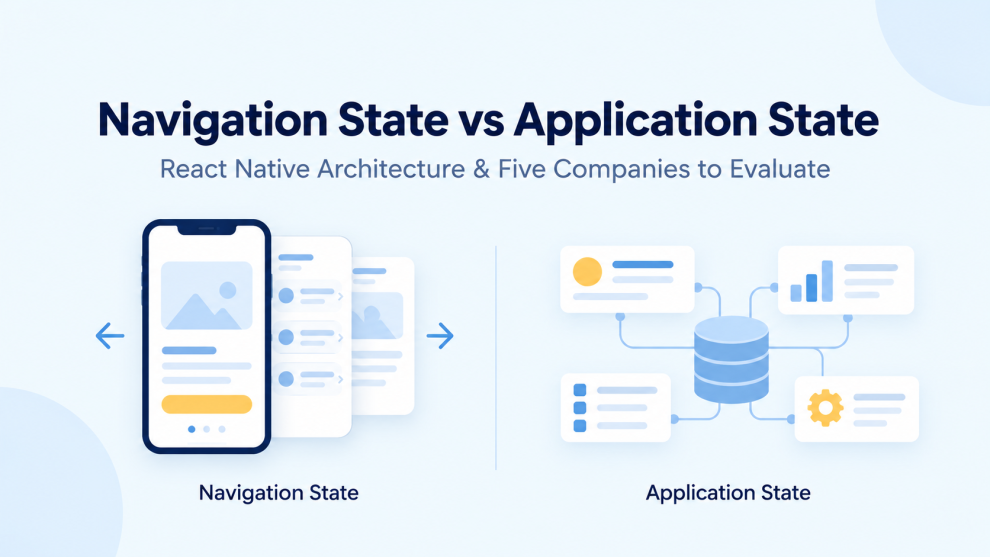
The architectural position is straightforward: navigation should identify the destination and its context. Application state should own the business information behind it.
That distinction should also influence how companies select a React Native development partner. Screen counts and attractive interfaces offer little evidence that a team understands state ownership.
What Belongs in Navigation State?
Navigation state describes the current route, navigation history, nested navigators, and route parameters. React Navigation’s documentation describes these structures and recommends passing minimal information through parameters rather than entire application data objects. Identifiers and relevant filtering or sorting options are appropriate examples.
For an order-details screen, the preferable contract is:
navigation.navigate("OrderDetails", {
  orderId: order.id,
});
Passing the entire order creates another representation that can become outdated:
navigation.navigate("OrderDetails", {
  order,
});
The destination should resolve the identifier through the application’s data layer, with deliberate loading, unavailable, and error states.
This approach also makes entry points easier to reason about. A screen opened from a notification should not depend on another screen having assembled a large object first.
Application State Is Bigger Than a Global Store
A common overcorrection moves everything outside navigation into one global store. That merely relocates the confusion.
A useful architecture distinguishes several kinds of state:
| State category | Example | Suggested ownership |
|---|---|---|
| Navigation | Active tab, route history, selected order ID | Navigator and route parameters |
| Local interface state | Expanded section, temporary input | Component or nearby parent |
| Shared client state | Unsaved checkout draft | Feature-level state or shared store |
| Server-backed data | Order status, customer profile | Data-access layer and cache |
| Session state | Current account and authentication status | Session management layer |
This is a design recommendation, not a requirement to install five libraries. One application may need a few contexts and local state; another may justify a dedicated store and query cache.
The important question is which layer owns each value and which other layers merely read it.
Three Architecture Decisions That Deserve Strong Opinions
Route Parameters Should Not Become a Database
React Navigation warns against duplicating application data in parameters. It also requires serializable navigation state for persistence, excluding functions and class instances.
Passing an identifier is therefore a stronger default than passing an editable record and callbacks.
A filter can legitimately belong in route parameters when it defines a shareable destination. A customer’s complete purchase history does not serve the same purpose.
Authentication Should Determine Available Screens
React Navigation documents an authentication flow in which available screens depend on authentication state. Signing out changes that state and returns the application to its authentication flow.
The architectural mistake is treating a navigation action as the authentication operation itself. Moving to a login screen does not explain what happened to the session or account-specific data.
A provider should be able to describe those responsibilities separately.
Business Progress Should Survive Changes to Screen Layout
Consider a hypothetical checkout that originally contains three screens and later becomes a single page.
Its cart, delivery selection, and draft information should remain understandable after that redesign. If those values depend on particular routes being mounted, the screen structure has acquired too much responsibility.
A checkout draft deserves explicit ownership and an intentional persistence policy. Back navigation should not accidentally decide whether the business process still exists.
Five Companies to Evaluate for React Native State Architecture
The following list is an editorial shortlist, not a measured ranking of delivery outcomes. The companies have published React Native offerings or relevant tooling. Their descriptions do not establish that any particular project uses the architecture advocated here.
1. GeekyAnts
GeekyAnts publishes React Native development services, including offline-first architecture, performance work, and ongoing maintenance. Those areas make state ownership a relevant evaluation topic, especially for applications that must reconcile local changes with server data.
Editorial assessment: GeekyAnts belongs on a shortlist for product development involving connected user journeys. Its proposed team should demonstrate how data remains consistent when users switch screens, reconnect, or reopen the application.
The decisive question: Can an order screen open directly without relying on data passed from the order list?
A credible answer should explain the data source, cache behavior, and unavailable-record handling.
2. Callstack
Callstack offers React Native development and feature-engineering services. Its published material also discusses modular React Native applications through Re.Pack and Module Federation.
Editorial assessment: Callstack is worth examining when state ownership intersects with a complex or modular application. Adding modules without explicit ownership boundaries can make shared state increasingly difficult to control.
The decisive question: Which information should modules share, and which information should remain internal to a feature?
The answer should identify boundaries rather than defaulting to one application-wide store.
3. Dev Technosys
Dev Technosys advertises React Native work across mobile workflows, including booking and appointment applications. Such products provide a practical setting for examining the difference between screen progression and durable business state.
Editorial assessment: Its inclusion should depend on a technical walkthrough of a comparable application. A broad service portfolio offers insufficient evidence of state architecture by itself.
The decisive question: What happens when a booking changes after the details screen has already opened?
A satisfactory explanation should cover data refresh, conflicting updates, and the user’s unfinished edits.
4. Software Mansion
Software Mansion publishes React Native upgrade and brownfield-integration services and maintains React Native Screens. Its work is directly relevant to applications where JavaScript navigation interacts with native platform behavior.
Editorial assessment: Software Mansion deserves consideration when navigation problems cross the boundary between React Native and an existing native application.
The decisive question: Who owns state when a workflow moves between native and React Native screens?
The proposal should address lifecycle transitions and shared information, not only the transition animation.
5. Infinite Red
Infinite Red offers React Native consulting and maintains Ignite and Reactotron. Its Ignite documentation describes the boilerplate as a reflection of approaches used in its project work.
Editorial assessment: Infinite Red is relevant for teams seeking established application conventions and debugging practices. However, a starter architecture still needs adaptation to the product.
The decisive question: Which conventions would the team change for offline drafts, multiple accounts, or a resumable workflow?
The strongest answer explains trade-offs rather than treating the boilerplate as a finished architecture.
The Evaluation Should Include Uncomfortable User Journeys
A normal demonstration usually follows the route the developers expect. An architecture review should deliberately avoid it.
A useful exercise would include:
- Opening a details screen from a deep link before visiting the home screen.
- Editing a record elsewhere while its details remain open.
- Restarting the application halfway through a draft.
- Switching accounts after viewing account-specific information.
- Returning to a workflow after its underlying record has been deleted.
These scenarios force a team to explain ownership, persistence, and recovery.
The strongest React Native partner is the one that can show where each important value lives, why it lives there, and what happens when the expected journey breaks. Navigation should remain understandable even as the product grows. Application data should remain trustworthy even when the user takes a different route.




Add Comment