







Why frontend environment variables cannot protect secrets, how to design a secure backend boundary, and what to check before releasing an AI feature.
An AI feature can work perfectly in development while exposing the credential that pays for every request.
The mistake often starts with an environment variable. A developer adds an AI provider’s API key to a .env file, reads it inside a React component, and excludes the file from Git. The repository looks clean, but the production JavaScript bundle contains the key.
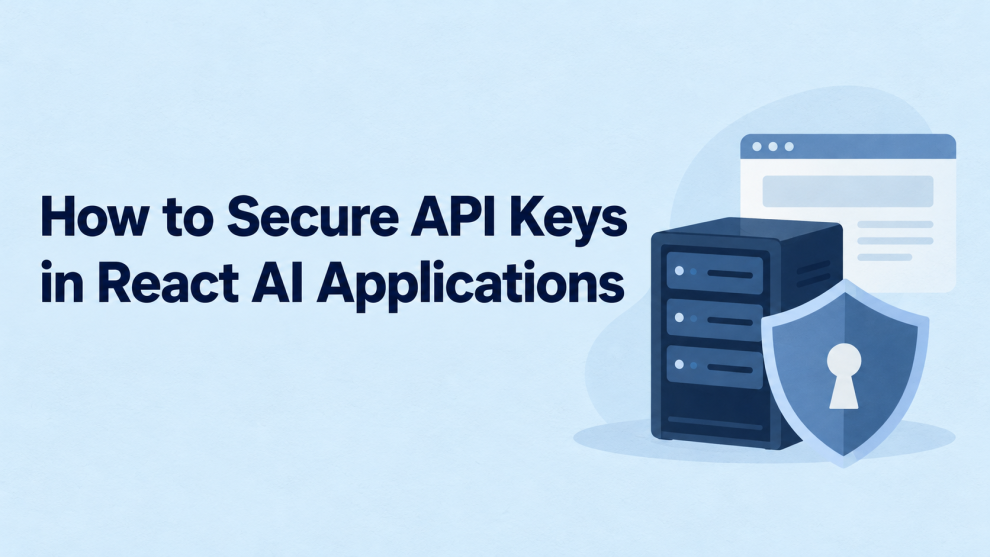
To secure API keys in React applications, keep long-lived provider credentials on a trusted server. The browser should call an authenticated application endpoint that validates and controls each AI request.
Protecting the credential is the first step. Preventing unauthorized use of the server endpoint is equally important.
Why can’t React hide an API key in the browser?
A React application running in a browser executes on a device controlled by its user. Anything delivered to that browser can potentially be inspected, including JavaScript bundles, network requests, and browser storage.
Minification changes how code looks. It does not establish a security boundary. Encrypting a credential also fails to keep it secret if the browser receives everything necessary to decrypt or use it.
OpenAI’s API key safety guidance explicitly advises against deploying secret keys in browsers or mobile applications and recommends routing requests through a backend. Exposed credentials can enable unauthorized requests and unexpected charges.
A useful distinction is between a public identifier, designed for client-side use, and a secret credential, which authorizes privileged or billable operations. The provider’s documentation determines which category a value belongs to.
Does a .env file protect React API keys?
Only if the value remains in a trusted environment.
Vite exposes variables prefixed with VITE_ to application code and warns that these variables must not contain sensitive information. Next.js similarly bundles variables prefixed with NEXT_PUBLIC_ into browser-delivered JavaScript when referenced.
These examples are unsafe for secret provider keys:
# Unsafe when used by browser code:
VITE_AI_API_KEY=secret-provider-key
NEXT_PUBLIC_AI_API_KEY=secret-provider-key
Adding these files to .gitignore prevents accidental commits of untracked files. It does not prevent the build system from embedding their values in frontend assets.
Where should AI API keys be stored?
The key belongs in the server environment that makes the provider request.
For a Vite application, that might be a separate backend or serverless function. For a full-stack React framework, it can be a server-side route.
| Location | Suitable for a long-lived secret? | Reason |
|---|---|---|
| React component or frontend configuration | No | Delivered to the browser |
localStorage or sessionStorage | No | Accessible to JavaScript running on the origin |
| Frontend environment variable | No | Can be embedded in the client bundle |
| Server-side environment variable | Yes, with controls | Available to the trusted server process |
| Managed secrets service | Yes, with controls | Supports controlled access and secret lifecycle management |
OWASP cautions against storing sensitive information in browser storage because a cross-site scripting vulnerability can expose it. Its secrets-management guidance recommends managing access, auditing, rotation, and other lifecycle controls around secrets.
In production, use the hosting platform’s protected secret configuration or a managed secrets service. Restrict which workloads and people can retrieve the credential.
What should a secure React-to-AI request look like?
A practical architecture assigns each layer a clear responsibility:
| Layer | Responsibility |
|---|---|
| React interface | Collect input and display results |
| Application backend | Authenticate, authorize, validate, and enforce usage limits |
| AI provider | Process the approved request using a server-held credential |
The backend should expose an application capability, such as summarizing an authorized document. It should not become an unrestricted relay accepting arbitrary provider URLs, models, credentials, and request bodies.
For example, the browser can send:
async function summarizeDocument(documentId, csrfToken) {
  const response = await fetch("/api/ai/summarize", {
    method: "POST",
    credentials: "same-origin",
    headers: {
      "Content-Type": "application/json",
      "X-CSRF-Token": csrfToken,
    },
    body: JSON.stringify({ documentId }),
  });

  if (!response.ok) {
    throw new Error("The summary could not be generated.");
  }

  return response.json();
}
This illustrative client function contains no provider key. The CSRF token comes from the application’s session security mechanism; sending the header is useful only when the server validates it.
Cookie-authenticated endpoints need appropriate CSRF defenses. OWASP recommends established protections such as validated tokens and origin checks, with SameSite cookies providing additional protection where applicable.
What must the server check?
The following pseudocode shows the intended sequence. Each helper represents application-specific implementation, not a built-in function or a complete deployable handler.
POST /api/ai/summarize

1. Enforce a request-body size limit.
2. Validate the session and CSRF protection.
3. Validate the documentId format.
4. Load the document only if this user may access it.
5. Atomically reserve usage within user and tenant quotas.
6. Call the AI provider with:
   - a server-held API key
   - a server-selected model
   - bounded input and output
   - a request timeout
7. Reconcile reserved usage with actual provider usage.
8. Return only the result fields the client needs.
Authorization must apply to the specific document. A valid login does not authorize access to another customer’s files.
Usage reservations should also account for concurrent requests. A quota check followed by an unrelated increment can allow multiple requests to pass the same remaining allowance.
How should Next.js applications enforce the server boundary?
Next.js documents using Server Components for operations involving API keys and other secrets. It also supports marking modules as server-only to catch accidental imports into Client Components.
A small credential-access module can make that boundary explicit:
// lib/ai-credentials.ts
import "server-only";

export function getAIProviderKey(): string {
  const key = process.env.AI_PROVIDER_API_KEY;

  if (!key) {
    throw new Error("AI provider credential is not configured.");
  }

  return key;
}
The application’s protected server route imports this module and uses the value when contacting the provider.
The server-only marker is a development safeguard. It does not authenticate callers, authorize resources, or prevent a server function from accidentally returning a secret. Never pass the credential into client props, serialized responses, or error messages.
How can teams prevent abuse without exposing the key?
Moving the credential to a backend prevents direct browser exposure. An unprotected backend can still let attackers spend against it.
OWASP identifies unrestricted resource consumption as an API security risk, including financial costs created through paid downstream services.
For AI endpoints, useful controls include:
- Identity-based quotas: Limit usage by verified user and tenant.
- Concurrency limits: Restrict simultaneous generations or processing jobs.
- Bounded requests: Cap input size, output length, attachments, and execution time.
- Server-selected capabilities: Allow only approved models, tools, and operations.
- Spend monitoring: Detect unusual usage and provide an operational shutoff.
An IP limit can supplement these controls, but shared networks and distributed clients make it an incomplete identity mechanism.
CORS is also insufficient as endpoint protection. It governs browser cross-origin access; it does not prevent direct requests from scripts or other non-browser clients. Authentication and authorization must remain server-enforced.
For streaming responses, establish the same checks before opening the stream. Treat cancellation and provider billing as separate concerns: closing a browser connection does not, by itself, prove that upstream processing stopped.
Can a React application ever connect directly to an AI provider?
Yes, when the provider explicitly supports a browser-safe authentication flow.
For example, Gemini’s Live API supports ephemeral tokens for direct client connections. A trusted backend creates the temporary credential, and the browser uses it for the supported session flow.
That exception does not make the permanent API key safe to expose.
The token-issuing endpoint still needs authentication, authorization, and usage limits. Temporary credentials can also be extracted from the client, so their limited lifetime and permissions are part of the protection.
What should happen if an API key leaks?
Revoke or rotate the exposed credential immediately. Removing it from the latest source file does not invalidate copies already downloaded or retained in repository history.
GitHub’s remediation guidance places revocation or rotation before repository cleanup when the exposed value is a secret.
Then investigate the exposure:
- Review provider usage for unexpected activity.
- Replace the credential in authorized server environments.
- Remove leaked values from source, build artifacts, and logs.
- Rebuild affected frontend assets and address cached copies.
- Add secret scanning and review the path that caused disclosure.
Use distinct credentials across development, staging, and production to reduce the impact of a single environment’s compromise.
What should be verified before release?
Review the deployed application, not just its source code.
Inspect browser requests and generated assets for credentials. Confirm that unauthenticated callers fail, cross-tenant document access is denied, and oversized requests are rejected. Test quota enforcement under concurrent requests and check that errors do not expose provider responses or authorization headers.
For sensitive documents, also review prompt and response logging. Protecting an API key does not prevent customer information from being copied into observability tools.
The core design principle is straightforward: React presents the AI feature; the trusted backend controls access to the provider. A secure implementation maintains that boundary while enforcing who can use the feature, which data it can process, and how much it can consume.





Add Comment