







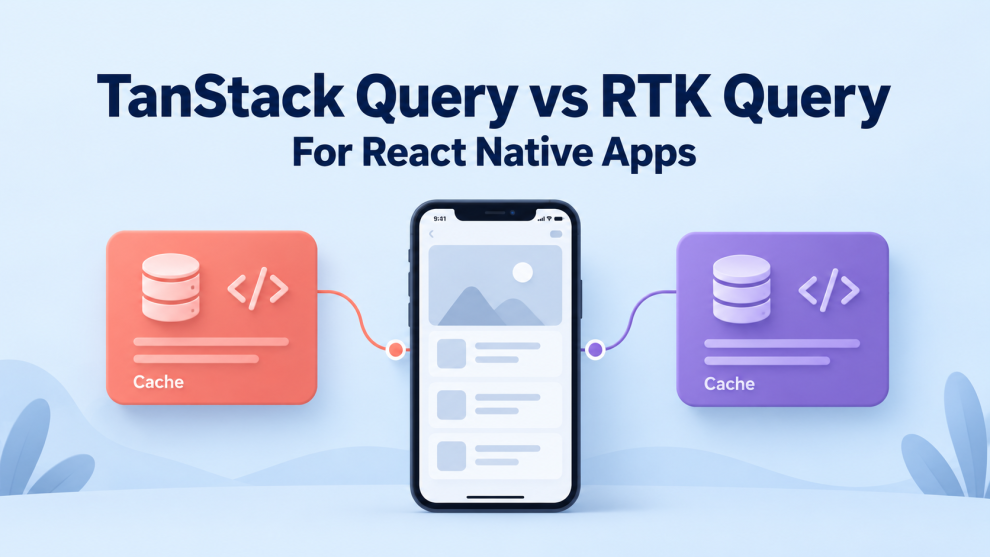

A React Native application can fetch data successfully and still deliver a frustrating experience. Screens reload unnecessarily, updates appear in one view but not another, and reconnecting after a dropped signal produces inconsistent results.
TanStack Query and Redux Toolkit Query address these problems by managing server data, request status, and cache behavior. Both are capable options, but their integration models and defaults differ.
For a new React Native app without Redux, TanStack Query is usually a practical starting point. For an application already built around Redux Toolkit, RTK Query often offers a more integrated approach. This is an architectural recommendation, not a performance ranking.
The comparison below uses TanStack Query v5 and the current Redux Toolkit documentation.
What Is the Difference Between TanStack Query and RTK Query?
TanStack Query, formerly React Query, manages asynchronous data through a query client. Developers identify data with query keys and provide functions that retrieve it.
Redux Toolkit Query, commonly called RTK Query, is the data-fetching and caching layer included in Redux Toolkit. Developers define endpoints in an API slice, connect its reducer and middleware to the Redux store, and use generated React hooks.
RTK Query’s documentation identifies existing Redux usage, Redux DevTools integration, and interaction with Redux middleware as reasons to choose it.
Neither library should become the default home for every kind of application state. A server-provided order belongs in a query cache. An unfinished form or locally selected tab usually needs a different owner.
TanStack Query vs RTK Query at a Glance
| Area | TanStack Query | RTK Query |
|---|---|---|
| Redux dependency | No | Yes |
| Main configuration model | Query keys and query functions | API endpoints and arguments |
| Cache identity | Serialized query key | Endpoint and serialized arguments |
| Typical mutation invalidation | Explicit query-key invalidation | Declarative cache tags |
| React integration | Hooks such as useQuery | Generated endpoint hooks |
| Infinite scrolling | useInfiniteQuery | Infinite-query endpoints |
| Persistent storage | Optional persistence packages | Rehydration integration |
| Native lifecycle handling | Connect focus and online managers | Connect native events to listener actions |
Both support shared query results, prefetching, and optimistic updates. Neither provides an automatically normalized entity cache across all query results.
How Does Data Fetching Look in Each Library?
Consider a product-details screen.
The following examples show the data layer only. They assume the relevant provider is configured and use an illustrative API address.
TanStack Query: Define a Key and a Fetch Function
import { useQuery } from '@tanstack/react-query';

type Product = {
  id: string;
  name: string;
};

export function useProduct(productId: string) {
  return useQuery({
    queryKey: ['product', productId],
    queryFn: async ({ signal }): Promise<Product> => {
      const response = await fetch(
        `https://api.example.com/products/${encodeURIComponent(productId)}`,
        { signal },
      );

      if (!response.ok) {
        throw new Error(`Product request failed: ${response.status}`);
      }

      return response.json();
    },
    staleTime: 60_000,
  });
}
The product ID belongs in the query key because it changes the requested data. The same principle applies to filters, tenant IDs, and other inputs that distinguish responses. TanStack documents query keys as dependencies for cached requests.
The application also needs a stable QueryClient supplied through QueryClientProvider.
RTK Query: Define an Endpoint
import {
  createApi,
  fetchBaseQuery,
} from '@reduxjs/toolkit/query/react';

type Product = {
  id: string;
  name: string;
};

export const productsApi = createApi({
  reducerPath: 'productsApi',
  baseQuery: fetchBaseQuery({
    baseUrl: 'https://api.example.com/',
  }),
  endpoints: (build) => ({
    getProduct: build.query<Product, string>({
      query: (id) => `products/${encodeURIComponent(id)}`,
    }),
  }),
});

export const { useGetProductQuery } = productsApi;
The generated hook can be called as useGetProductQuery(productId). The API reducer and middleware must be registered in the Redux store, with React Redux’s Provider surrounding the application.
These examples illustrate the organizational difference: TanStack starts with a query definition, while RTK Query starts with an endpoint definition.
TypeScript annotations describe expected responses; they do not validate incoming JSON at runtime. Applications handling uncertain API contracts should add runtime validation.
Caching Defaults Can Change the Mobile Experience
The most important caching distinction is between freshness and retention.
TanStack Query considers cached data stale immediately by default. Stale queries can refetch on configured lifecycle events, including mounting, focus, and reconnection. Inactive queries remain cached for five minutes by default.
Two separate options control this:
staleTime: how long data remains fresh.gcTime: how long unused data remains before garbage collection.
TanStack uses milliseconds for these options. Expiring staleTime does not itself start a periodic request.
RTK Query retains unused data for 60 seconds by default through keepUnusedDataFor, measured in seconds. Its default subscription behavior serves an existing cache entry without automatically applying TanStack’s staleness model.
A numeric refetchOnMountOrArgChange can request a refresh when a subscription starts and the last successful result exceeds a specified age.
Consequently, staleTime and keepUnusedDataFor are not equivalents. Comparing them directly can produce unexpected requests or stale screens.
React Native Needs Explicit Focus and Connectivity Handling
Browser-focused examples do not fully describe native application behavior.
A mobile app can move into the background, return to the foreground, or lose connectivity without the browser events that web integrations expect.
TanStack’s React Native guide demonstrates connecting connectivity information to onlineManager and React Native’s AppState to focusManager. Those connections allow its query behavior to respond to native lifecycle changes.
RTK Query’s default setupListeners implementation uses browser event listeners. React Native applications should provide native integration, such as a custom handler connecting app-state and network events to its focus and connectivity actions. The relevant refetchOnFocus and refetchOnReconnect options must also be enabled.
App foregrounding and navigation focus are separate events. Returning to a screen that remained mounted may require a navigation-specific refresh policy.
Listeners should be registered once with appropriate cleanup. A useful device test covers backgrounding, reconnecting, switching screens, and resuming after a long interruption.
Mutations: Query Keys or Cache Tags?
After a product changes, both its detail screen and relevant lists may need updating.
TanStack Query commonly handles this through mutation callbacks that invalidate matching query keys. It also supports optimistic UI updates and direct cache changes, including rollback strategies.
RTK Query lets query endpoints declare providesTags and mutations declare invalidatesTags. Invalidating a matching entry with an active subscription triggers a refetch; an unused matching entry can be removed instead.
Tags are convenient when several endpoints represent related data. They still require careful design: invalidating every product after one small edit can generate avoidable traffic.
For optimistic updates, RTK Query provides onQueryStarted and api.util.updateQueryData. Its documentation warns that rolling back overlapping mutations can introduce race conditions; invalidation and refetching may be safer after an error.
In either library, a successful optimistic animation does not establish that the server accepted the change.
Which Library Is Better for Offline React Native Apps?
“Offline support” covers several different requirements:
- Showing previously downloaded data.
- Retaining that data after application restart.
- Recording edits while disconnected.
- Replaying operations and resolving conflicts later.
TanStack provides an asynchronous-storage persister that can integrate with React Native AsyncStorage. Persistence requires explicit configuration rather than occurring automatically.
Its mutation APIs also support paused mutations and resumption. However, restoring persisted mutations requires a default mutation function because serialized state cannot preserve executable functions.
RTK Query supports rehydration through mechanisms such as extractRehydrationInfo. Its documentation notes that persistence can be useful in native applications while warning about restoring stale data.
Persisting a cache does not create a complete offline synchronization system. Applications still need decisions about duplicate submissions, operation ordering, conflict resolution, and account changes.
For a field-service app with substantial offline editing, those requirements should drive the architecture before the query-library choice.
Pagination, Retries, and Performance
Both libraries support infinite-query workflows. Older comparisons that describe RTK Query as lacking built-in infinite queries are outdated. Its current API includes build.infiniteQuery, page parameters, and page-retention controls.
For mobile feeds, teams should evaluate retained pages, response size, and refetch behavior alongside list rendering.
Retry behavior also differs. TanStack queries retry failures three times by default, while mutations do not retry by default. RTK Query provides an optional retry wrapper for base queries. Retry decisions should distinguish transient failures from errors unlikely to succeed on another attempt. Neither library has a universal speed advantage demonstrated by these features. An application-specific comparison should measure requests per interaction, memory use, time to useful content, and behavior on representative devices.
Which Should a React Native Team Choose?
Choose TanStack Query when the application does not otherwise need Redux, the team prefers query-focused abstractions, or its persistence and mutation-resumption tools match the intended workflow.
Choose RTK Query when Redux Toolkit already forms a meaningful part of the application, endpoint definitions provide useful team structure, and request handling needs close integration with Redux actions or middleware.
An existing Redux application can still use TanStack Query. However, maintaining the same server resource in both libraries creates competing cache ownership and should generally be avoided.
The most useful evaluation is a small implementation of the app’s hardest data flow: a paginated screen, an edit, a failed request, a reconnect, and an account switch. The better choice is the one the team can make correct and maintain consistently across those conditions.


Add Comment