









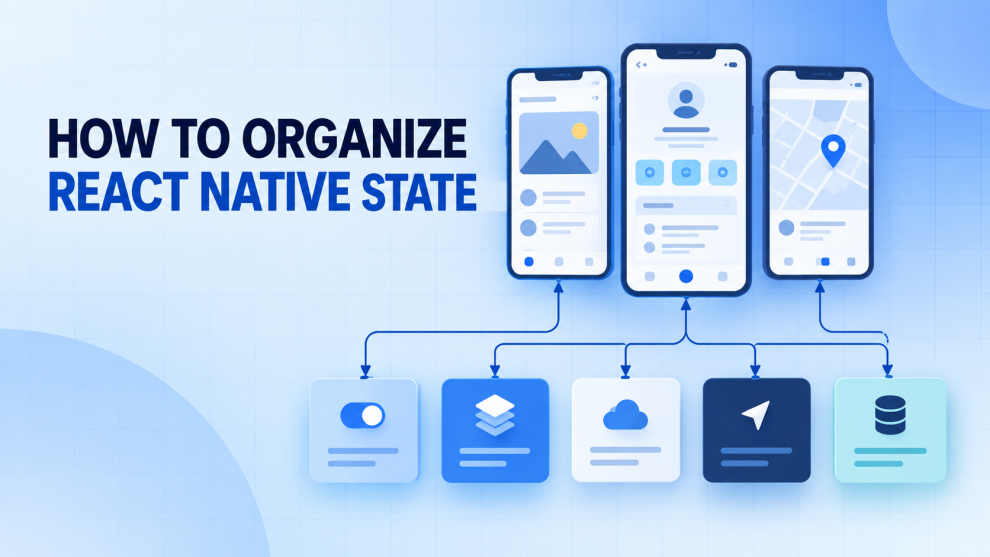

State management becomes difficult when a React Native application expands beyond a few screens. Authentication affects navigation, API data appears in multiple features, forms span several screens, and some data must remain available after the app closes.
A scalable architecture does not place everything in one global store. It gives each piece of state a clear owner based on where it comes from, who needs it, and how long it should live.
Classify State Before Choosing a Library
Before selecting Redux Toolkit, Zustand, Context, or TanStack Query, identify the type of state involved.
| State type | Examples | Recommended location |
|---|---|---|
| Local UI state | Modal visibility, input focus, selected tab | Component |
| Screen state | Filters, form values, pagination | Screen or custom hook |
| Feature state | Cart, checkout, onboarding | Feature store or scoped context |
| Server state | Products, profiles, orders | TanStack Query or RTK Query |
| App-wide state | Session, theme, locale | Global store or provider |
| Navigation state | Routes, history, deep links | Navigation library |
| Persistent state | Preferences, saved drafts | Storage layer |
React recommends maintaining a single source of truth for each piece of state. This does not mean keeping all state globally. It means that each value should have one clear owner. When components must coordinate, state should move to their closest common parent. (React documentation)
Keep Temporary State Close to the Component
A password visibility toggle, accordion state, or bottom-sheet visibility usually belongs inside the component that renders it.
function PasswordField() {
  const [visible, setVisible] = useState(false);

  return (
    <TextInput
      secureTextEntry={!visible}
      onPressIn={() => setVisible(true)}
    />
  );
}
Use local state when:
- Only one component or screen needs the value.
- The value can disappear when the component unmounts.
- It does not need persistence.
- Other features do not need to update it.
Use useReducer when several screen-level values change together or follow defined transitions such as idle, editing, submitting, and failed.
Moving small UI values into a global store adds actions, selectors, and subscriptions without solving a real sharing problem.
Organize React Native State by Feature
A folder structure based entirely on file type becomes difficult to navigate:
components/
screens/
reducers/
services/
types/
A feature-first structure keeps screens, state, API functions, hooks, and types for one domain together.
src/
  app/
    providers/
    store/
  navigation/
  features/
    auth/
      api/
      components/
      screens/
      state/
      types.ts
    cart/
      api/
      components/
      screens/
      state/
      selectors.ts
    profile/
      api/
      screens/
      state/
  shared/
    components/
    hooks/
    storage/
    utils/
The Redux documentation recommends organizing most application logic by feature rather than separating everything by technical category. (Redux code-structure guidance)
Each feature should expose a small public API. Other features should not import its internal reducer, storage keys, or implementation details directly.
Separate Server State From Client State
API data should not automatically be copied into Redux or Zustand.
Server state has characteristics that normal client state does not. It can become stale, change outside the current device, fail to load, require retries, and need background refetching.
TanStack Query and RTK Query handle caching, invalidation, request deduplication, loading states, and mutations.
function useProfile(userId: string) {
  return useQuery({
    queryKey: ["profile", userId],
    queryFn: () => profileApi.getById(userId),
    staleTime: 60_000,
  });
}
Multiple screens using the same query key can share cached data. There is usually no need to copy the profile into another store.
Client-owned state should remain separate. For example, an unsaved profile draft belongs to the client, while the saved profile record belongs to the server.
TanStack Query also documents integrations for React Native connectivity and app focus. NetInfo can update its online manager, while React Native’s AppState can trigger focus-related refetching. (TanStack Query React Native guide)
Use Global State Only When Sharing Requires It
Global state works well when unrelated parts of the application need the same client-owned information.
Suitable examples include:
- Authentication status
- Shopping-cart contents
- Theme and locale
- Selected workspace
- Feature flags
- Multi-screen workflow progress
Redux Toolkit provides utilities for store configuration, reducers, immutable updates, and feature-oriented slices. (Redux Toolkit)
const cartSlice = createSlice({
  name: "cart",
  initialState: {
    itemIds: [] as string[],
  },
  reducers: {
    itemAdded(state, action: PayloadAction<string>) {
      if (!state.itemIds.includes(action.payload)) {
        state.itemIds.push(action.payload);
      }
    },
    itemRemoved(state, action: PayloadAction<string>) {
      state.itemIds = state.itemIds.filter(
        id => id !== action.payload
      );
    },
  },
});
Selectors should remain close to the feature:
export const selectCartCount = (state: RootState) =>
  state.cart.itemIds.length;
Components should select only the smallest value they need. Selecting an entire store or feature object can trigger updates when unrelated fields change.
Zustand can serve the same role in applications that prefer a smaller external store. Its documentation recommends splitting larger stores into composable slices. (Zustand documentation)
Use Context for Scoped State
Context works well for values shared through a limited component tree.
A checkout flow, for example, can place its provider around the checkout navigator:
function CheckoutFlow() {
  return (
    <CheckoutProvider>
      <CheckoutNavigator />
    </CheckoutProvider>
  );
}
This keeps the draft available across checkout screens without making it accessible to the entire application. Leaving the workflow can reset the state unless persistence is intentionally required.
Context is also appropriate for stable dependencies such as themes, localization, analytics clients, and feature configuration.
Avoid creating one large context containing rapidly changing values from unrelated features. Split providers by responsibility.
Pass Identifiers Between Screens
Navigation parameters should identify what a destination screen displays. They should not become a second application store.
Use this pattern:
navigation.navigate("OrderDetails", {
  orderId: order.id,
});
The destination screen can use orderId to read the current record from the query cache.
Avoid passing complete records, functions, query clients, or class instances:
navigation.navigate("OrderDetails", {
  order,
  updateOrder,
});
A full record can become stale while the source changes. Functions and non-serializable objects can interfere with navigation persistence and deep linking.
React Navigation recommends JSON-serializable route parameters for these reasons. (React Navigation documentation)
Treat Multi-Screen Workflows as Features
Onboarding, checkout, loan applications, and account setup often span several screens. Their drafts should not be recreated independently on every screen.
features/
  onboarding/
    screens/
      PersonalDetailsScreen.tsx
      AddressScreen.tsx
      ReviewScreen.tsx
    state/
      onboardingStore.ts
    validation/
      schemas.ts
The feature store can own the draft and completed-step information:
type OnboardingDraft = {
  personalDetails: PersonalDetails;
  address: Address;
  completedSteps: string[];
};
Server-provided options, such as country lists or eligibility rules, should stay in the query layer.
Reset the feature state when the workflow finishes or is abandoned. Otherwise, an old draft may appear during a later session.
Persist Only What Must Survive a Restart
Persistence should be decided field by field.
Good candidates include:
- Theme preference
- Language selection
- Completed onboarding flag
- Explicitly saved drafts
- Limited session metadata
Avoid persisting loading flags, errors, callbacks, large API responses, modal state, and values that can be derived.
Persisted data should include a schema version so the app can migrate or discard incompatible values after an update.
React Native Async Storage is persistent but unencrypted. It is suitable for non-sensitive preferences, not authentication secrets. (Async Storage documentation)
Sensitive credentials should use platform-backed secure storage. Expo SecureStore provides encrypted key-value storage for supported applications. (Expo SecureStore)
The app should also render a deliberate hydration state while saved data loads. Otherwise, it may briefly show the wrong navigator or default settings.
Avoid Duplicate and Derived State
React recommends avoiding redundant, contradictory, and duplicated state. (Choosing the state structure)
Do not store both cart items and cart count:
{
  items: [...],
  count: 4
}
Derive the count instead:
const count = items.length;
Similarly, store selectedProductId rather than a second copy of the selected product. The current product can be found from the list or query cache.
Derived values stay synchronized automatically and reduce the number of update paths.
A Practical Ownership Checklist
Before adding state, ask:
- Who reads and updates it?
- Is the device or server the source of truth?
- Should it survive screen unmounting?
- Should it survive an app restart?
- Is it sensitive?
- Can it be derived from existing information?
The answers usually identify the correct location:
- One component needs it: local state.
- Sibling components share it: common parent.
- Several screens in one workflow need it: feature state.
- The server owns it: query cache.
- Unrelated features need it: global store.
- The route defines it: navigation params.
- It must survive restarts: selective persistence.
Common Mistakes to Avoid
One undifferentiated global store
A single store is acceptable. A store without feature boundaries is not. Divide global state into slices with clear selectors and actions.
Duplicating API responses
Copying query results into another store creates synchronization and invalidation problems.
Persisting the complete store
This restores stale loading states, errors, and obsolete data. Persist a narrow and versioned subset.
Passing objects between screens
Pass identifiers and load the current data at the destination.
Globalizing temporary UI state
State that belongs to one component should disappear with that component.
Recommended React Native State Architecture
A balanced application can use:
useStateanduseReducerfor component and screen state- Scoped Context for temporary feature workflows
- TanStack Query or RTK Query for server state
- Redux Toolkit or Zustand for shared client state
- React Navigation for route state
- Async Storage for non-sensitive preferences
- Secure storage for authentication secrets
- Feature-first folders for code ownership
Applications do not need every tool from the beginning. Start with local state and introduce another layer only when the required ownership, lifetime, or sharing boundary changes.
The central rule is simple: organize React Native state by feature, source of truth, and lifetime. Clear boundaries make it easier to add screens without turning the application into one large global store.






Add Comment