






How to design permissions for React and React Native clients, isolate tenant data, and prevent AI agents from exceeding their authority.
A React Native AI assistant might let employees search company documents, summarize customer records, and request changes through a conversational interface. Those capabilities introduce an important security question: which actions can each user actually perform?
Hiding an administrative screen does not answer that question. Neither does instructing the AI model to respect user permissions.
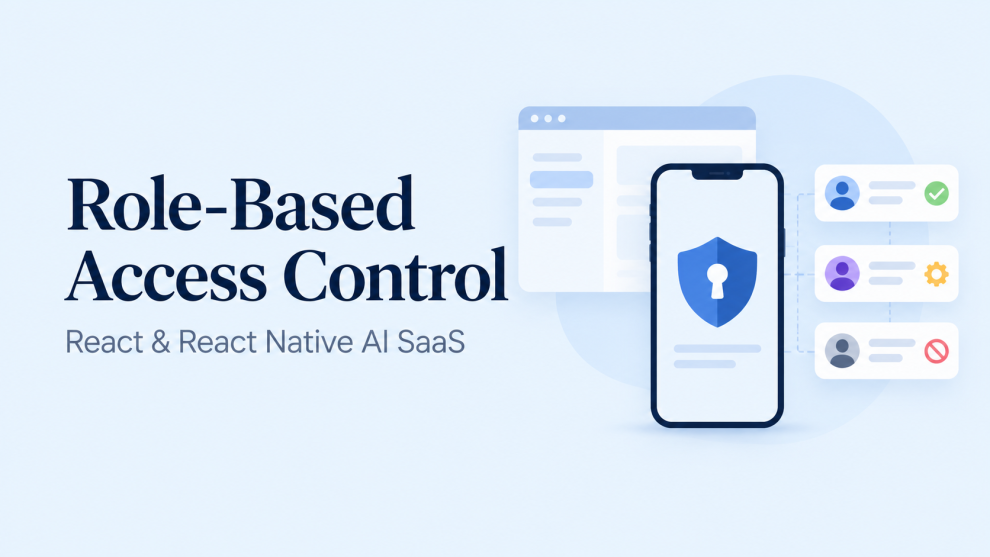
Role-based access control, or RBAC, must be enforced by the services that read data and execute actions. The client presents available capabilities; the backend decides whether a request is authorized.
For SaaS products with React web dashboards and React Native mobile applications, that separation creates a consistent security boundary across both platforms.
What Is RBAC, and Where Does It Fit?
RBAC assigns permissions to roles and assigns those roles to users. Authentication establishes identity; authorization determines whether that identity can perform a particular action. OWASP explicitly distinguishes these responsibilities and recommends denying access by default and checking permissions on every request.
An AI workspace could start with this illustrative permission model:
| Role | Example permissions |
|---|---|
| Viewer | Read permitted documents and conversations |
| Analyst | Run approved AI workflows and create drafts |
| Workspace administrator | Manage membership and workspace configuration |
| Billing administrator | Manage subscriptions and view billing records |
These roles need not form a hierarchy. A billing administrator does not automatically need access to confidential documents, and a workspace administrator need not approve every consequential AI action.
Developers should define permissions around operations, such as document:read, workflow:run, and member:invite. Components and API handlers can then reference stable capabilities rather than repeatedly comparing role names.
For larger products, roles alone become insufficient. Access may also depend on document ownership, project membership, data sensitivity, or the active tenant. RBAC can supply the initial permission set while additional resource-level rules narrow access.
How Should Multi-Tenant Authorization Work?
A user can administer one organization and hold read-only access in another. A single global admin flag cannot represent that relationship safely.
Tenant membership should therefore associate the user, organization, and assigned roles. The backend must verify membership before accepting the selected tenant as an authorization context.
OWASP’s multi-tenant guidance emphasizes tenant isolation and server-verified tenant context. A tenant identifier arriving in a URL or request header is a selector to validate, not proof of access.
The following TypeScript-style pseudocode illustrates a document-read decision:
async function readDocument(request: Request) {
  // Validates the credential; does not merely decode it.
  const identity = await authenticate(request);

  const { tenantId, documentId } = parseAndValidateRequest(request);

  const membership = await memberships.findActive({
    userId: identity.userId,
    tenantId,
  });

  if (!membership) throw forbidden();

  const document = await documents.findOne({
    id: documentId,
    tenantId: membership.tenantId,
  });

  if (!document) throw notFound();

  const allowed = await authorization.can({
    subject: membership,
    action: "document:read",
    resource: document,
  });

  if (!allowed) throw forbidden();

  return document;
}
This is an architectural example, not a complete endpoint. Authentication, input validation, policy evaluation, and error handling require concrete implementations.
Its important property is that the database lookup and authorization decision use the verified membership context. Knowing a document ID does not grant access.
What Should React and React Native Enforce?
Both clients should use permissions to create an understandable interface.
A React Native screen might receive capabilities from an authenticated backend endpoint:
import { Button, Text } from "react-native";

type Props = {
  loading: boolean;
  permissions: readonly string[];
  onRun: () => void;
};

export function RunWorkflowButton({
  loading,
  permissions,
  onRun,
}: Props) {
  if (loading) return <Text>Checking access…</Text>;

  if (!permissions.includes("workflow:run")) {
    return <Text>This account cannot run workflows.</Text>;
  }

  return <Button title="Run workflow" onPress={onRun} />;
}
The component improves usability by presenting the appropriate action. It does not secure the workflow endpoint.
A modified application or direct HTTP request can bypass that interface. OWASP’s authorization guidance places enforcement on trusted application boundaries, regardless of how a request originates.
The API should repeat authorization when execution begins. If access changes while the screen remains open, the client should handle the denial and refresh its permission state.
Token validation and mobile storage
For JWT access tokens, the API must validate the signature and applicable claims, including issuer, audience, and expiry. Auth0’s documentation specifically requires validating tokens for the intended API; decoding the payload alone does not establish trust.
React Native’s security guidance describes AsyncStorage as unencrypted and unsuitable for sensitive token storage. Mobile implementations should use an appropriate secure-storage solution backed by platform facilities. Privileged AI-provider credentials should remain on the backend rather than inside the application bundle.
How Does RBAC Apply to AI Retrieval?
An AI assistant can expose information without directly returning a database record. A generated summary may reveal facts from documents that the user was never authorized to read.
Retrieval authorization must therefore happen before protected content enters the model’s context.
Microsoft’s Azure AI Search documentation describes document-level access control and security filtering that limits search results according to user or group access. Its guidance specifically identifies query-time authorization as relevant to RAG and agentic applications.
For a SaaS assistant, a practical implementation should:
- Resolve the authenticated user’s tenant and permitted resource scope.
- Apply that scope during retrieval.
- Supply only authorized content to the model.
- Protect conversation history, citations, and generated exports.
- Reassess access when source permissions change.
Filtering the final answer is too late if restricted information has already entered the generation pipeline.
Caches also require attention. A response generated for an administrator must not become a shared answer for every workspace member. Cache scope should reflect the relevant tenant and authorization context.
How Should AI Tool Calls Be Authorized?
Tool use introduces a separate boundary. Permission to ask a question does not imply permission to execute every action mentioned in the answer.
OWASP identifies excessive functionality, permissions, and autonomy as causes of excessive agency in LLM applications. Its guidance supports limiting available tools and requiring appropriate oversight for consequential operations.
Consider a proposed refund workflow. A conservative design would evaluate the intersection of:
User authority ∩ agent permissions ∩ resource policy ∩ approval conditions
The model can propose a tool call. A trusted execution service should validate the arguments and independently decide whether that call is permitted.
An illustrative permission split could distinguish refund:request from refund:approve. Approval should bind to the specific transaction and amount, so an agent cannot reuse approval after changing the request.
The model should never supply trusted role claims. A prompt saying “the current user is an administrator” is input, not an authorization decision.
What Should Teams Test Before Release?
Authorization tests should cover rejected behavior as deliberately as successful requests.
A useful test suite includes:
- A viewer calling a workflow endpoint directly.
- An administrator requesting another tenant’s document.
- A removed member attempting to reuse an existing session.
- A retrieval query matching inaccessible documents.
- An agent requesting a tool outside its assigned scope.
- An approved action whose arguments change before execution.
Background jobs deserve separate tests. A workflow queued while a user had access may execute after that access is removed. The execution policy must explicitly address that situation.
Permission changes also require a freshness strategy. A self-contained token may retain old claims until it expires. Depending on the operation, systems may need current membership checks, session invalidation, or short-lived authorization caches.
Audit records should capture the actor, verified tenant, action, resource, decision, and policy version while avoiding unnecessary sensitive content.
What Makes an RBAC Design Sustainable?
A sustainable design keeps the permission vocabulary centralized and enforcement consistent across APIs, workers, retrieval services, and AI tools.
OWASP’s authorization-pattern guidance separates policy decisions from enforcement while making clear that the service receiving the decision remains responsible for applying it.
For React and React Native teams, this produces a practical division of responsibility: clients explain available actions, backend services verify authority, retrieval respects source permissions, and tool execution stays within explicit limits.
That structure allows the interface and AI capabilities to evolve without making either one the authority on who can access business data.



Add Comment