









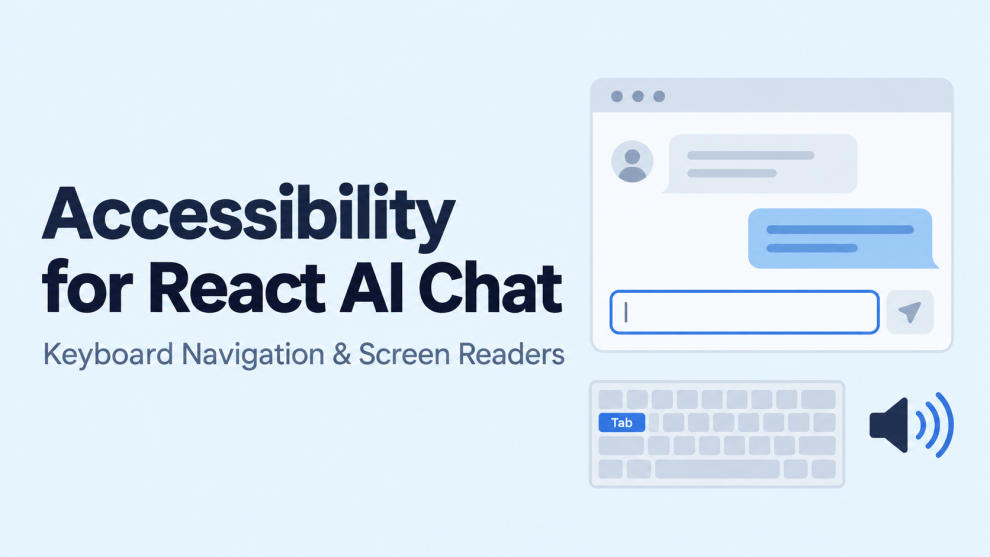

An AI chat interface can generate a useful answer and still prevent someone from using it. A keyboard user may be unable to stop generation. A screen reader may announce fragments of a streaming response repeatedly. A new message may move focus away from the question someone is composing.
These failures occur in the interface surrounding the model. Addressing them requires deliberate decisions about HTML semantics, keyboard interaction, announcements, and focus.
For React developers, the goal is straightforward: users should be able to compose a message, understand the application’s state, read the response, and recover from errors without relying on a mouse or visual cues.
What Does WCAG Require From a Chat Interface?
Several WCAG 2.2 success criteria directly affect chat experiences. Keyboard functionality falls under 2.1.1, while 2.1.2 addresses keyboard traps. Focus order and visible focus are covered by 2.4.3 and 2.4.7. Status Messages, criterion 4.1.3, addresses programmatically exposing relevant updates without requiring focus to move. These requirements apply to the interface regardless of whether its responses come from a person or an AI model.
WCAG 2.2 also includes Focus Not Obscured (Minimum), a Level AA requirement. A focused component must not be entirely hidden by author-created content. In a chat application, a sticky composer or floating toolbar can create exactly that problem. Keeping the entire focused control visible is a stronger usability target than meeting this minimum alone.
These criteria provide a baseline. They do not prescribe one universal keyboard shortcut or streaming strategy.
How Should Keyboard Navigation Work?
Start with native controls. Send, Stop, Retry, and Copy actions should use <button> elements. Citation links should use anchors with valid destinations. The composer should normally use a labeled <textarea>.
React’s documentation explains how labels connect to form controls and recommends useId when reusable components need unique identifiers. A placeholder should not carry the entire labeling responsibility.
A predictable composer can preserve Enter for new lines and offer Ctrl+Enter or Command+Enter as an additional submission shortcut:
import { useId, useState } from "react";

export function ChatComposer({ onSend, pending }) {
  const id = useId();
  const [text, setText] = useState("");

  function submit(event) {
    event.preventDefault();

    const message = text.trim();
    if (!message || pending) return;

    onSend(message);
    setText("");
  }

  return (
    <form onSubmit={submit}>
      <label htmlFor={id}>Message the assistant</label>

      <textarea
        id={id}
        value={text}
        onChange={(event) => setText(event.target.value)}
        aria-describedby={`${id}-help`}
        onKeyDown={(event) => {
          if (event.nativeEvent.isComposing) return;

          if (
            event.key === "Enter" &&
            (event.ctrlKey || event.metaKey)
          ) {
            event.preventDefault();
            event.currentTarget.form?.requestSubmit();
          }
        }}
      />

      <p id={`${id}-help`}>
        Enter adds a new line. Control+Enter or Command+Enter sends.
      </p>

      <button
        type="submit"
        aria-disabled={pending || !text.trim()}
      >
        Send message
      </button>
    </form>
  );
}
This is a composer example, not a complete chat implementation. The parent must handle request failures, cancellation, and message persistence. Because aria-disabled does not prevent activation, the submission guard is essential.
Avoid making every message a Tab stop. Screen reader users can navigate static content through reading commands; keyboard focus should primarily serve interactive controls. Where a scrollable transcript needs keyboard access, provide and test an appropriate focusable container.
How Should Screen Readers Receive New Messages?
W3C documents role="log" as a technique for sequential updates, explicitly including chat conversations. The role has implicit polite announcement behavior, and its default non-atomic behavior allows additions to be announced without rereading the entire history. Browser and assistive-technology compatibility still matters.
For an interface that appends completed messages, a basic structure is:
<section aria-labelledby="conversation-title">
  <h2 id="conversation-title">Conversation</h2>

  <div
    role="log"
    aria-labelledby="conversation-title"
    aria-relevant="additions"
    aria-atomic="false"
  >
    {messages.map((message) => (
      <article key={message.id}>
        <h3>{message.author}</h3>
        <p>{message.text}</p>
      </article>
    ))}
  </div>
</section>
Speaker names should exist as text, rather than being conveyed only through bubble position or color. Stable message identifiers also help preserve component identity during updates.
This pattern needs additional design when responses stream incrementally.
How Can Streaming Avoid Overwhelming Screen Readers?
Visual streaming and spoken announcements do not need identical update frequencies.
Updating a live region for every token can produce fragmented, repeated, or queued speech depending on the browser and screen reader. A practical implementation should choose an announcement policy and test it explicitly.
One option is to keep the transcript outside a live region and use a separate, persistent status region:
<p role="status">{announcement}</p>The application might update it to “Assistant is responding,” followed by “Response complete.” The full response remains available in the transcript, and a clearly labeled control can move focus to the latest answer when requested.
Another option is to announce completed messages through a log. For lengthy responses, teams can explore sentence-level announcements or user-controlled reading, but those approaches need usability testing.
Avoid combining several announcement mechanisms that all describe the same event. A live transcript, a separate full-response announcer, and a completion alert can create unnecessary repetition.
WAI-ARIA defines status as polite, advisory information and advises against moving focus to it when its content changes. Routine generation progress generally fits this pattern better than an assertive alert.
When Should Focus Move?
Receiving an answer should not automatically move focus. Someone may be editing another question, reviewing a citation, or reading an earlier message.
React’s accessibility guidance recommends using programmatic focus to repair disrupted interaction rather than anticipating how someone wants to navigate.
For chat, this suggests several implementation decisions: retain focus during ordinary updates, provide an explicit “Jump to latest response” control, and handle focus deliberately when a focused Stop button disappears after generation.
Scrolling requires similar care. Automatically following new content may help someone already at the bottom, but it can disrupt someone reviewing history. Track whether the reader has moved away and offer a new-message indicator instead of forcing the viewport downward.
A modal conversation-history panel has different requirements. W3C’s dialog pattern calls for focus to enter the dialog, Tab navigation to remain inside it, Escape to close it, and focus generally to return to the invoking control. An ordinary inline chat panel should not inherit a modal focus trap.
What About Markdown, Code, and Failed Responses?
Accessibility includes the generated answer itself.
Render headings, lists, links, and code blocks as their corresponding HTML elements. A visually formatted paragraph should not substitute for a real heading. Give repeated controls meaningful context, such as “Copy code example 2,” and ensure horizontally scrolling code remains usable with a keyboard.
Treat interrupted generation as a distinct state. Preserve useful partial output, identify that the response stopped, and provide a reachable retry action. A failure should not silently erase the original question.
For virtualized histories, test whether removing messages from the DOM disrupts reading or focused controls. Performance improvements should preserve a usable way to review the conversation.
What Have GeekyAnts and Thoughtworks Documented?
GeekyAnts publicly lists accessibility testing among its quality-assurance services. Its mobile engineering material also describes screen reader support and component-level focus handling. These are relevant examples of accessibility practices, although mobile and React web implementations require different platform-specific work.
Thoughtworks has published guidance on AI and accessible technology, including AI-assisted accessibility testing, understanding user needs, and personalizing experiences. This demonstrates public engagement with the intersection of AI and accessibility.
The reviewed sources do not establish that either company has deployed the exact React AI chat patterns described here. A project-specific claim would require a case study, implementation documentation, or testing evidence.
How Should Teams Test the Finished Experience?
Automated checks are useful for detectable markup problems, but W3C states that tools cannot determine accessibility on their own. Human evaluation remains necessary.
Test a complete conversation using only the keyboard. Then repeat it with representative screen reader and browser combinations, such as NVDA with Firefox and VoiceOver with Safari. Include slow responses, cancellation, errors, long code blocks, citations, and conversation switching.
Record whether announcements are understandable, whether focus remains predictable, and whether every recovery action is reachable. Include people who regularly use assistive technology when evaluating usability.
The release criterion should be a completed task: someone can ask a question, recognize progress, inspect the answer, and continue the conversation with control over both navigation and interruptions.


Add Comment