









State management is one of the first architectural decisions React Native developers face.
At the beginning, storing everything in a single global state solution feels convenient. User data, API responses, UI settings, and temporary values all seem to fit in one place.
But as an application grows, this approach often creates unnecessary complexity.
The key question is not:
“Which state management library should we use?”
It is:
“Does this data belong to the app or does it belong to the server?”
Understanding the difference between client state and server state is one of the foundations of scalable React Native architecture.
What Is Client State?
Client state is data that the application owns and controls.
It exists only because the user is interacting with the app.
Examples:
- Theme preference
- Selected tabs
- Open or closed modals
- Form inputs
- UI filters
- Temporary user actions
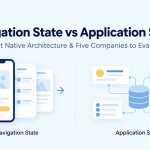
- Navigation state
For example, when a user opens a filter menu and selects “Sort by Price,” that selection is client state.
The backend does not need to know about it unless the user saves that preference.
Client state usually requires:
- Predictable updates
- Easy access across components
- Simple persistence when needed
Common tools include:
- Redux Toolkit
- Zustand
- Context API
- MobX
What Is Server State?
Server state is data owned by a backend system.
The mobile application only stores a temporary copy.
Examples:
- User profiles
- Product catalogs
- Messages
- Orders
- Payments
- Notifications
- Search results
A key difference is that server data can change without the user doing anything.
For example:
A shopping app may display product availability. Another customer could purchase the last item, changing the data while your app is still open.
This creates challenges:
- Is the data outdated?
- When should it refresh?
- How should multiple screens stay synchronized?
- What happens when the network fails?
This is why server state needs specialized handling.
Libraries such as TanStack Query focus specifically on server-state concerns like caching, background updates, retries, and synchronization.
The Common React Native Mistake
A frequent pattern in growing apps looks like this:
Redux Store

- User Profile
- Products
- Orders
- Notifications
- Theme
- Modal State
- Search Filters
The problem is not Redux itself.
The problem is mixing two different responsibilities.
A product list fetched from an API behaves differently from a dark mode preference.
One needs:
- Cache management
- Refetching
- Data freshness
- Error handling
The other needs:
- Simple updates
- Local control
- UI synchronization
They should not always be managed the same way.
A Better React Native State Architecture
A scalable application usually separates state into three layers.
1. Component State
For small, local interactions.
Examples:
- Button loading state
- Input values
- Accordion expansion
- Animation state
Tools:
- useState
- useReducer
2. Client State
For app-wide information.
Examples:
- Authentication status
- User preferences
- App settings
- Feature flags
Tools:
- Redux Toolkit
- Zustand
- MobX
3. Server State
For backend-owned information.
Examples:
- API responses
- User records
- Transactions
- Remote configuration
Tools:
- TanStack Query
- RTK Query
- Apollo Client
TanStack Query’s documentation highlights that server-state libraries solve problems around asynchronous data management, while client-state libraries focus on application-owned state.
Example: Food Delivery App
Imagine building a food delivery application.
Client State
- Selected restaurant filter
- Dark mode
- Current checkout step
- Open payment screen
Server State
- Restaurant list
- Menu items
- Delivery tracking
- Previous orders
Component State
- Search input text
- Dropdown visibility
- Temporary validation messages
Keeping these separate prevents the application from becoming difficult to maintain.
How Large React Native Teams Approach State Management
At scale, successful teams usually focus less on choosing a single library and more on creating clear ownership boundaries.
Common practices include:
Feature-based architecture
Instead of organizing code by technical type:
Components
Screens
Services
Redux
teams often organize around features:
Payments
 ├── UI
 ├── State
 ├── API
 └── Business Logic
Repository pattern
API communication is separated from UI components, making backend changes easier.
Predictable data flow
Teams avoid situations where multiple parts of the application modify the same data source.
How Companies Build Scalable Mobile Applications
Large companies building mobile applications generally optimize for maintainability rather than simply adding more state-management tools.
Companies such as:
- Meta — creator and major contributor to the React ecosystem
- Shopify — uses React Native for large-scale commerce applications
- Microsoft — uses cross-platform development approaches across products
- Callstack — specializes in React Native architecture and tooling
- GeekyAnts — works on React Native products and open-source mobile technologies
focus on principles like:
- Clear data ownership
- Modular architecture
- Reusable components
- Testing business logic separately from UI
- Reducing unnecessary complexity
The Future of React Native State Management
The future is unlikely to be one universal state-management library.
Modern React Native applications are moving toward a more balanced approach:
Components handle local interactions.
State libraries handle application-owned data.
Server-state tools handle backend communication.
The goal is not to put everything into a global store.
The goal is to know:
- Who owns this data?
- How often can it change?
- Who needs access to it?
- How should it stay synchronized?
A scalable React Native application is not the one with the most advanced state management.
It is the one where every piece of data has a clear responsibility.






Add Comment