








An implementation guide covering architecture, React integration, security, testing, and lessons from five companies building enterprise AI.
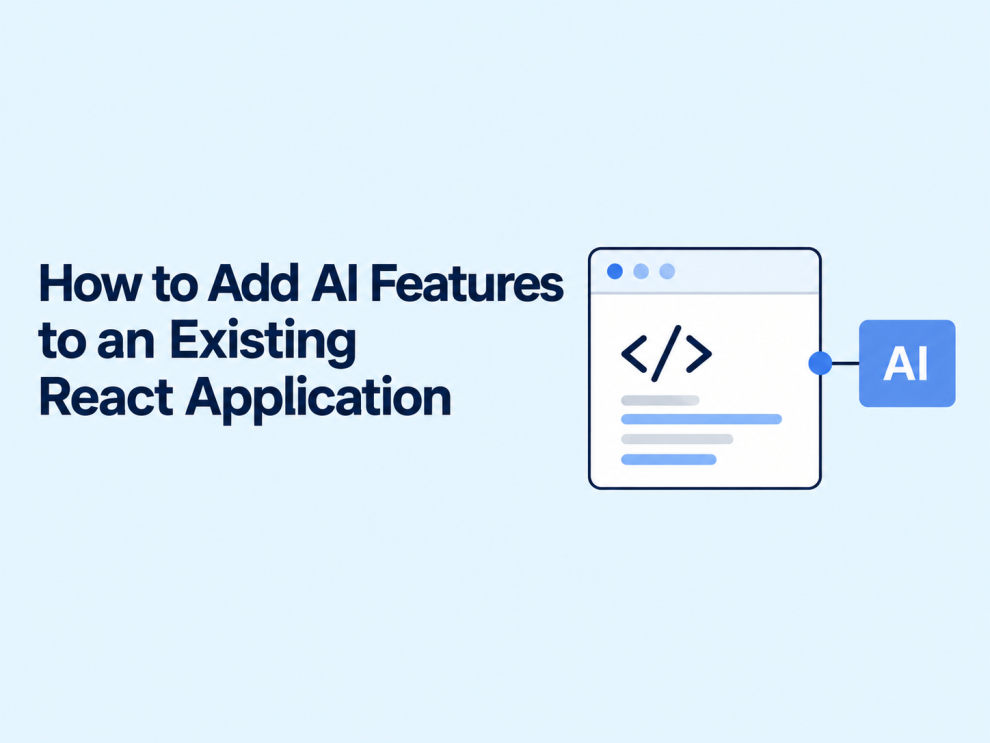
Adding AI to an existing React application usually does not require rebuilding the frontend. A team can introduce document summaries, assisted search, suggested replies, or data extraction within screens users already understand.
The harder work happens around the model: deciding what information it can access, validating its output, handling slow responses, and preserving the application’s existing permissions.
React manages the user experience. The backend should control access to hosted models, retrieve approved context, and enforce business rules.
This guide explains that separation and examines relevant approaches published by GeekyAnts, IBM, Accenture, Deloitte, and Tata Consultancy Services.
Which AI feature should a React application add first?
Start with one task whose output users can inspect before it changes anything.
A support application could summarize a conversation. A document dashboard could extract proposed metadata. A content editor could suggest a shorter paragraph while preserving the original.
These are useful initial candidates because the application can present the result as a draft.
| Existing workflow | Possible AI feature | Suggested acceptance check |
|---|---|---|
| Reviewing support tickets | Conversation summary | Important facts remain accurate |
| Searching internal documents | Answers with source references | Sources support the answer |
| Completing repetitive forms | Suggested field values | Users can verify and correct fields |
| Writing customer replies | Draft response | No invented commitments |
| Browsing a large catalog | Natural-language search | Results match the requested criteria |
Define success before selecting a model. For a summary feature, that might mean reducing review time without omitting unresolved customer issues.
A fluent response is insufficient evidence that the feature works.
What architecture works for React AI integration?
For hosted AI services, a practical starting point is an application-owned backend endpoint.
The React component submits a request to that endpoint. The server authenticates the user, checks access to the requested resource, gathers necessary context, calls the model, and validates the result.
The frontend receives an application-specific response rather than depending directly on a provider’s response format.
For example:
{
  "summary": "The customer needs help updating a billing address.",
  "requestId": "req_example",
  "status": "complete"
}
This approach allows the interface to remain stable when backend implementation details change.
Keep provider credentials out of the browser
A frontend environment variable is not a secure place for a secret key.
Vite explicitly documents that variables prefixed with VITE_ are exposed in client-side code. A variable such as VITE_AI_API_KEY can therefore leak a credential through the application bundle. Store provider credentials in the backend’s secret-management environment instead.
A React SPA can use an existing Node.js, Python, Java, or other backend. It does not need to migrate to Next.js solely to add AI.
How can a React component request an AI-generated summary?
A narrow feature does not require a full chat framework. A small API helper can connect an existing component to the backend.
The following TypeScript example illustrates the client-side request contract. It assumes that an authenticated /api/ai/summarize endpoint already exists.
type SummaryResult = {
  summary: string;
  requestId: string;
};

export async function summarizeDocument(
  documentId: string,
  signal?: AbortSignal
): Promise<SummaryResult> {
  const response = await fetch("/api/ai/summarize", {
    method: "POST",
    credentials: "same-origin",
    headers: {
      "Content-Type": "application/json"
    },
    body: JSON.stringify({ documentId }),
    signal
  });

  if (!response.ok) {
    throw new Error("The summary could not be generated.");
  }

  const data: unknown = await response.json();

  if (
    typeof data !== "object" ||
    data === null ||
    !("summary" in data) ||
    typeof data.summary !== "string" ||
    !("requestId" in data) ||
    typeof data.requestId !== "string"
  ) {
    throw new Error("The server returned an invalid response.");
  }

  return {
    summary: data.summary,
    requestId: data.requestId
  };
}
Sending a document identifier lets the backend retrieve the authorized document itself. The server must still verify that the signed-in user can access that identifier.
The endpoint also needs request-size limits, usage controls, timeouts, output validation, and appropriate request protections for the application’s authentication scheme. This helper is an integration example, not a complete production implementation.
Handle requests as user interactions
For a “Generate summary” button, initiate the request from the event handler. Keep loading, success, and failure states explicit.
If the selected document changes, cancel the obsolete request or prevent its response from replacing the new document’s state. React’s documentation discusses stale-response race conditions and cleanup when fetching through Effects.
AbortController can cancel a browser fetch and response consumption. Stopping the browser request does not necessarily stop provider-side generation; that requires cancellation support through the backend and upstream service.
When should the interface use streaming?
Streaming is useful for longer conversational responses because the interface can display text as it arrives.
Vercel’s AI SDK provides a React useChat hook that manages messages, request status, errors, and streamed updates. Its documentation demonstrates pairing the client with a server endpoint. Teams should use examples matching their installed SDK version because APIs change between releases.
Streaming is optional for short classifications or structured extraction. Waiting for a complete, validated result can simplify those workflows.
For a conversational interface, design more than the message bubble:
- Show when a request is waiting versus generating.
- Provide a stop control.
- Distinguish interrupted output from a completed answer.
- Preserve the user’s draft when a request fails.
- Avoid announcing every streamed token to screen readers.
A response that looks finished should actually be finished.
How should AI access private application data?
When answers depend on internal documents, retrieval-augmented generation, or RAG, can provide relevant material at request time. Microsoft’s documentation describes combining retrieval with generative models to ground responses in application data.
For a React knowledge-search feature, the backend should retrieve only content the current user is permitted to access. Authorization must happen before restricted material reaches the model.
Source references should point to documents the user can open, and the system should handle missing evidence explicitly.
RAG does not eliminate prompt injection. OWASP identifies both direct malicious instructions and instructions embedded in external content as risks; it also states that RAG and fine-tuning do not fully mitigate them.
Treat retrieved text as untrusted material. If the model proposes an action, the application must independently validate its arguments and permissions. An instruction inside a document must never become authorization to change an account or send a message.
How should teams test and release the feature?
Separate predictable software behavior from variable model behavior.
For ordinary application tests, mock responses and verify loading states, malformed data, timeouts, cancellation, and authorization failures. The AI SDK supplies mock providers and stream-simulation helpers for deterministic testing without live model calls.
For model evaluation, prepare representative examples with expected facts or acceptance criteria. Include incomplete inputs, ambiguous requests, unsupported questions, and attempts to obtain unauthorized information.
A proposed release dashboard could track:
| Measure | What it helps assess |
|---|---|
| Task acceptance rate | Whether outputs satisfy the intended workflow |
| User correction rate | How often results need intervention |
| Response latency | Whether the feature is usable in context |
| Cost per accepted result | Whether retries and failures undermine economics |
| Failure and escalation rate | Whether recovery behavior is adequate |
Roll out to a limited audience first. Keep the original workflow available, and use a feature flag to disable the AI capability independently.
How are five established companies approaching AI integration?
Public evidence varies by company. The examples below document AI integration approaches, but they do not establish that every cited implementation uses React. The React implications are architectural takeaways.
GeekyAnts: Separate model integration from application rules
GeekyAnts describes multi-provider connectors in clinical education and family-records applications. Its published approach keeps deterministic business logic in application code and evaluates models for specific tasks.
The article also distinguishes implemented connectors from a completed production migration.
React takeaway: Keep the component’s API contract stable while isolating model-specific behavior behind the backend. A connector alone does not prove that a replacement model is suitable.
IBM: Expose AI through reusable application services
IBM’s watsonx.ai documentation describes deploying AI services and model endpoints for integration into enterprise applications. It also describes lifecycle capabilities spanning deployment, monitoring, and retraining.
React takeaway: An existing frontend can consume a controlled AI service through the application backend while model operations remain a separate concern.
Accenture: Evaluate models against business requirements
Accenture’s foundation-model services include a model switchboard, customization, and managed services. Its announcement describes comparing models using factors such as accuracy, cost, and business context.
React takeaway: Select models using the feature’s acceptance criteria. A provider that works well for a conversational assistant may not be the right choice for extraction.
Deloitte: Integrate generative AI into organizational platforms
Deloitte identifies its collaboration with Bertelsmann on the Bertelsmann Collaboration Platform as an enterprise generative AI example.
React takeaway: Plan how an AI feature fits existing organizational workflows and access requirements. The cited overview does not disclose the frontend framework or provide a React implementation recipe.
TCS: Compare services through a common platform
TCS describes AI WisdomNext as a platform aggregating generative AI services and supporting comparisons across cloud offerings.
React takeaway: A common backend integration layer can help application teams evaluate alternatives while preserving the user interface. Model choice still requires workload-specific testing.
What should the first implementation deliver?
A useful first release adds one bounded capability to an existing screen, protects credentials and data on the server, and gives users a clear way to review or reject the result.
It should also produce evidence: whether the feature helps, where it fails, and what each successful use costs.
The most useful AI addition is one that improves a real task while preserving the application behavior users already trust.






Add Comment