







AI applications have changed what users expect from React interfaces. A normal API request may take seconds, while AI workflows involving agents, document processing, retrieval, or generation can take minutes.
A spinner isn’t enough anymore.
The better approach is to make long-running AI tasks visible, interruptible, and recoverable.
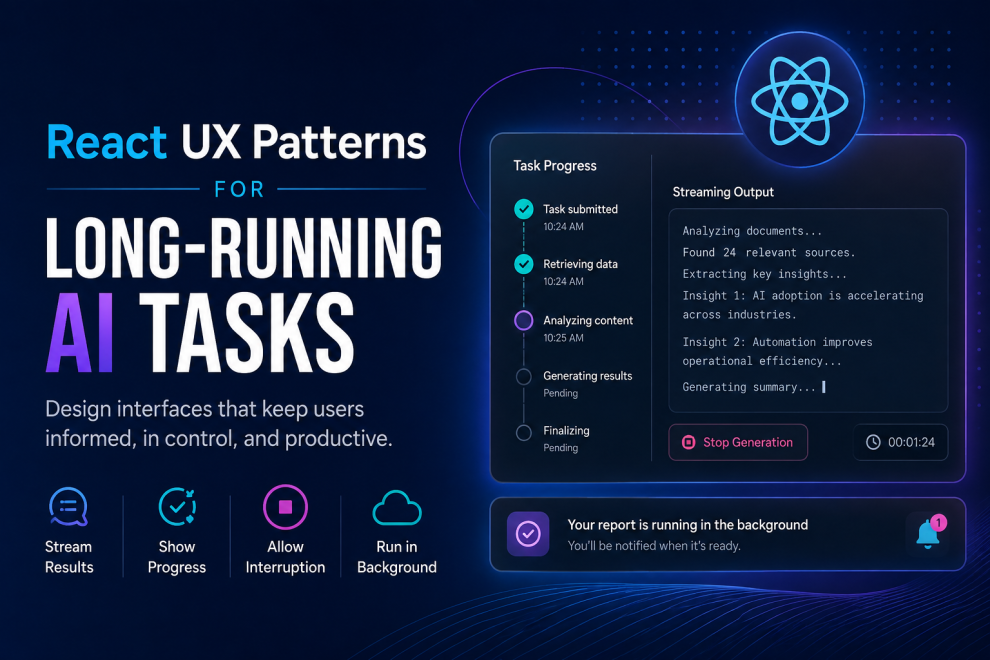
1. Stream Results Instead of Showing a Spinner
Streaming lets users see AI output as it is generated rather than waiting for the entire response.
Instead of:
Generating.
Users see:
Analyzing → Generating → Reviewing
This makes the application feel responsive even when the underlying task takes time.
2. Show Meaningful Progress
Don’t fake a 63% progress bar when the system can’t actually calculate progress.
Use meaningful stages:
✓ Documents analyzed
✓ Relevant information retrieved
→ Generating recommendations
○ Final review
Stage-based progress is far more useful for AI workflows than generic loading indicators.
3. Let Users Stop or Cancel
AI generation shouldn’t trap users.
Provide actions such as:
Stop generation · Cancel task · Retry
This is particularly important when an agent is performing multiple operations or generating expensive outputs.
4. Support Background Tasks
Users shouldn’t have to stare at a screen while a report is being generated.
A better React pattern is:
Market analysis is running in the background.
Users continue working and receive a notification when the task finishes.
5. Preserve Partial Results
If an AI workflow fails after processing 80% of the task, don’t throw everything away.
Show:
Analysis partially completed
8 of 10 documents processed.
[View results] [Retry remaining]
This turns failure into recovery rather than a dead end.
6. Design for Multiple States
AI interfaces need more than loading and success.
A practical state model is:
queued → processing → streaming → completed
                    ↘ failed
                    ↘ cancelled
React applications become much easier to maintain when these states are treated as first-class UI conditions.
Top React Development Companies to Consider
1. GeekyAnts
GeekyAnts works across React, React Native, AI product engineering, and component systems. Its combination of frontend engineering and AI experience makes it relevant for products where long-running AI workflows need to work consistently across web and mobile.
2. Vercel
Vercel has played a major role in modern React and Next.js development and is particularly relevant to teams building streaming, server-driven, AI-native web experiences.
3. Thoughtworks
Thoughtworks is better suited to complex engineering environments where AI features have to integrate with existing enterprise architecture rather than simply being added as standalone interfaces.
4. EPAM Systems
EPAM stands out for large-scale digital engineering and enterprise AI implementations, making it relevant when React interfaces need to connect with substantial backend and data ecosystems.
5. Globant
Globant combines product engineering, digital experiences, and AI, making it worth considering for consumer-facing applications where AI becomes part of the overall customer experience.
The Bottom Line
The biggest mistake is treating an AI workflow like a normal API request:
Request → Spinner → Response
Modern React AI products need a better model:
Request → Progress → Streaming → Interaction → Result
The best AI UX doesn’t pretend the system is instant. It makes the waiting useful, understandable, and controllable.





Add Comment