










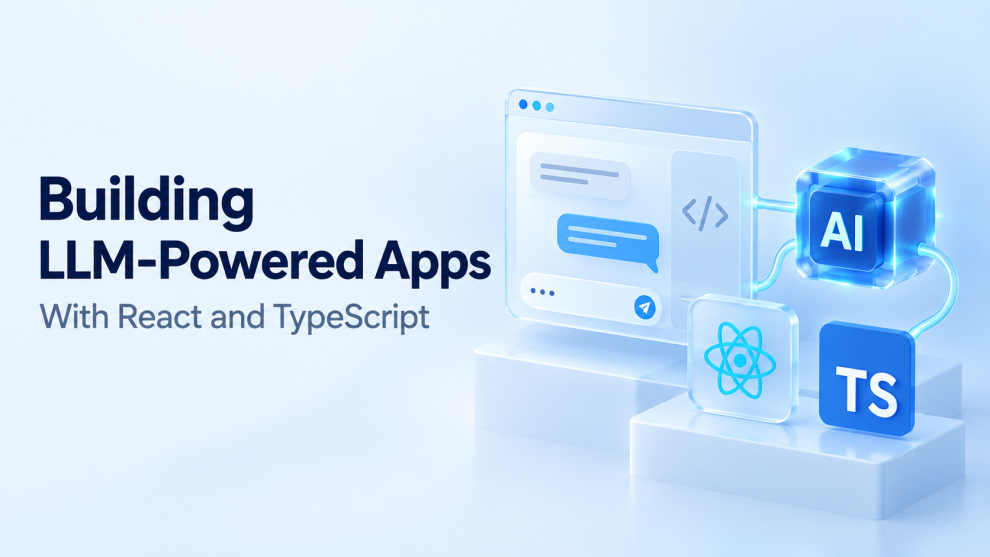

Building an LLM-powered application involves more than connecting a chat interface to a model. The application must manage incomplete responses, protect private information, validate generated data, and help users understand when an answer needs verification.
React and TypeScript provide a useful foundation for this work. React handles interactive interfaces, while TypeScript helps developers define the data contracts connecting components, backend services, and model integrations.
The need for careful implementation is clear. In the 2025 Stack Overflow Developer Survey, 84% of respondents reported using or planning to use AI tools in their development process. However, 46% distrusted the accuracy of AI outputs. These figures describe developer attitudes toward AI tools, rather than the reliability of any particular LLM application. Stack Overflow Developer Survey
For product teams, the implication is straightforward: adoption creates opportunity, but useful AI experiences still depend on conventional engineering discipline.
Why use React and TypeScript for LLM applications?
React supports component-based interfaces that can combine conversation with forms, document previews, source panels, and approval controls. Its official documentation also explains how TypeScript can describe component props, hooks, and events. React’s TypeScript guide
This combination suits applications such as:
- Internal knowledge assistants that answer questions from approved documents.
- Support tools that summarize cases and propose responses.
- Document extraction tools that populate editable forms.
- Analytics assistants that combine explanations with charts.
- Writing tools that let users review and accept proposed changes.
TypeScript becomes particularly useful when these interfaces handle several response types. A message containing plain text differs from a document extraction result or a request to approve an action.
Explicit types help developers represent those differences without scattering assumptions throughout the application.
What architecture should an LLM application use?
A practical starting architecture separates the browser interface from model access and business operations.
| Layer | Responsibility |
|---|---|
| React interface | Collect input and display responses, sources, and status |
| Application backend | Authenticate users, validate requests, and enforce limits |
| Model integration | Send approved context and receive generated output |
| Retrieval layer, when needed | Find relevant information the user may access |
| Business services | Execute authorized operations |
| Monitoring | Record latency, usage, failures, and evaluation results |
The browser should call the application backend. Standard server-side model credentials should remain on the server, outside client bundles.
The backend should also derive identity and permissions from a verified session. A user ID or tenant ID supplied by the browser is not sufficient evidence of access.
For an existing React application, a Node.js service can provide this boundary. A full-stack React framework can also host the relevant server routes. The choice should follow the existing deployment environment and team experience.
How should React handle streaming responses?
Streaming allows the interface to display output as it arrives. It can shorten the perceived wait, although it does not necessarily reduce the time required to generate a complete answer.
A useful interface distinguishes between:
- Waiting for the server.
- Receiving partial output.
- Completing successfully.
- Being stopped by the user.
- Failing before or during generation.
These states can be represented explicitly:
type AnswerState =
  | { status: "idle" }
  | { status: "waiting" }
  | { status: "streaming"; text: string }
  | { status: "complete"; text: string }
  | { status: "stopped"; text: string }
  | { status: "error"; message: string; partialText?: string };
This illustrative type helps prevent a partial answer from being presented as a completed result.
The UI should preserve useful partial output after an interruption and clearly label it. Cancellation should propagate through the backend to the provider where supported, rather than merely hiding the response.
Vercel’s AI SDK provides TypeScript tooling for streaming, tool calls, structured objects, and chat interfaces. Teams using it should follow documentation matching their installed package version. AI SDK overview
Does TypeScript validate LLM output?
No. TypeScript’s type annotations are erased during compilation. They do not validate data arriving from a model or an external API at runtime. TypeScript Handbook
For example, this assertion does not establish that the data matches the expected shape:
const result = JSON.parse(modelText) as ExtractedInvoice;
A runtime check must inspect the actual value. The following simplified example validates a proposed task classification:
type Classification = {
  category: "billing" | "technical" | "general";
  summary: string;
};

function isClassification(value: unknown): value is Classification {
  if (typeof value !== "object" || value === null) return false;

  const record = value as Record<string, unknown>;

  return (
    (record.category === "billing" ||
      record.category === "technical" ||
      record.category === "general") &&
    typeof record.summary === "string" &&
    record.summary.length > 0 &&
    record.summary.length <= 1000
  );
}
This checks structure and basic constraints. It does not establish that the classification is correct.
Production applications should also handle malformed JSON, unexpected properties where relevant, provider errors, and unsuccessful validation. Schema validation and factual evaluation address different problems.
When does an application need RAG?
Retrieval-augmented generation, or RAG, supplies relevant external information to a model when generating an answer.
It is useful when the application needs company policies, product documentation, or other information outside the model’s reliable knowledge. Microsoft’s documentation identifies content preparation, retrieval relevance, token limits, response time, and access control as practical RAG concerns. Azure AI Search RAG overview
A basic implementation can retrieve authorized document passages and include them with the question.
The important word is authorized. Permission checks must apply before restricted content enters model context.
The React interface should make supporting sources accessible, ideally linking to the relevant document or passage. However, a citation alone does not prove an answer is supported. Evaluation should check whether the cited material actually justifies the response.
RAG is unnecessary for every feature. A tool rewriting a paragraph supplied by the user may need no retrieval system at all.
How can teams secure model-driven workflows?
OWASP identifies prompt injection as a major LLM application risk. It can arrive directly through user input or indirectly through material such as retrieved documents. Instructions inside that material can attempt to redirect model behavior. OWASP prompt injection guidance
A system prompt should therefore be treated as guidance, not as the authorization layer.
If a model proposes changing an account, the backend should independently verify the user’s permissions, validate the arguments, and apply the business rules.
Additional controls should match the feature:
- Restrict tools to the operations the application needs.
- Require confirmation for consequential actions.
- Treat retrieved content as untrusted input.
- Avoid executing generated HTML or code directly.
- Limit sensitive information in logs and model context.
An application that only summarizes text has a different risk profile from one that can modify customer records. Security design should reflect that distinction.
How should LLM application costs be measured?
Monthly spending depends on more than request volume. Conversation history, retrieved passages, generated output, retries, and tool loops can all affect consumption.
A useful operating metric is:
Cost per successful task = total operating cost ÷ successfully completed tasks
For example, if a hypothetical feature costs $120 to operate and completes 800 tasks successfully, its cost per successful task is $0.15. This is an illustrative calculation, not a provider pricing estimate.
Teams should monitor input and output usage, place bounds on repeated tool calls, and avoid sending irrelevant history with every request.
Model selection should follow task evaluations. A less expensive model may be adequate for classification while a more capable model may be justified for complex synthesis. Neither choice should rest on price alone.
What should be tested before launch?
Traditional tests should cover authentication, request validation, permissions, persistence, and interface behavior.
Model evaluations should examine whether the application performs its intended task.
A representative evaluation set should include ordinary requests, ambiguous questions, missing information, conflicting documents, and malicious instructions. Tests should also cover interrupted streams and unavailable providers.
The most useful measurements include task success, unsupported claims, source accuracy, latency, and correction effort. Changes to models, prompts, retrieval, or tools should be checked against the same evaluation set.
The goal is to detect meaningful regressions before users encounter them.
What is the best first feature to build?
A narrow, reviewable feature provides a practical starting point: summarizing a support case, extracting editable fields, or answering questions from a limited document collection.
The application can then expand based on observed quality and user behavior.
React and TypeScript help organize that experience, but reliability comes from the complete system: clear interface states, validated data, authorized operations, relevant context, and measurable results.






Add Comment